

Webflow's 2026 pricing update looks simple at first: CMS and Business are being replaced by a new Premium Site plan. But for most users, the real question is not "what is Premium?" — it is "will my Webflow site cost more after this change?"
The answer depends on your current plan, billing cycle, bandwidth usage, CMS item count, Workspace type, and renewal date. That is why this update is confusing: some sites will cost less, some will cost more, and some will stay close to the same.
In this guide, we will explain what changed, how the new Premium plan works, why bandwidth is the biggest pricing variable, and how to use a before-and-after calculator to understand your own Webflow pricing impact.
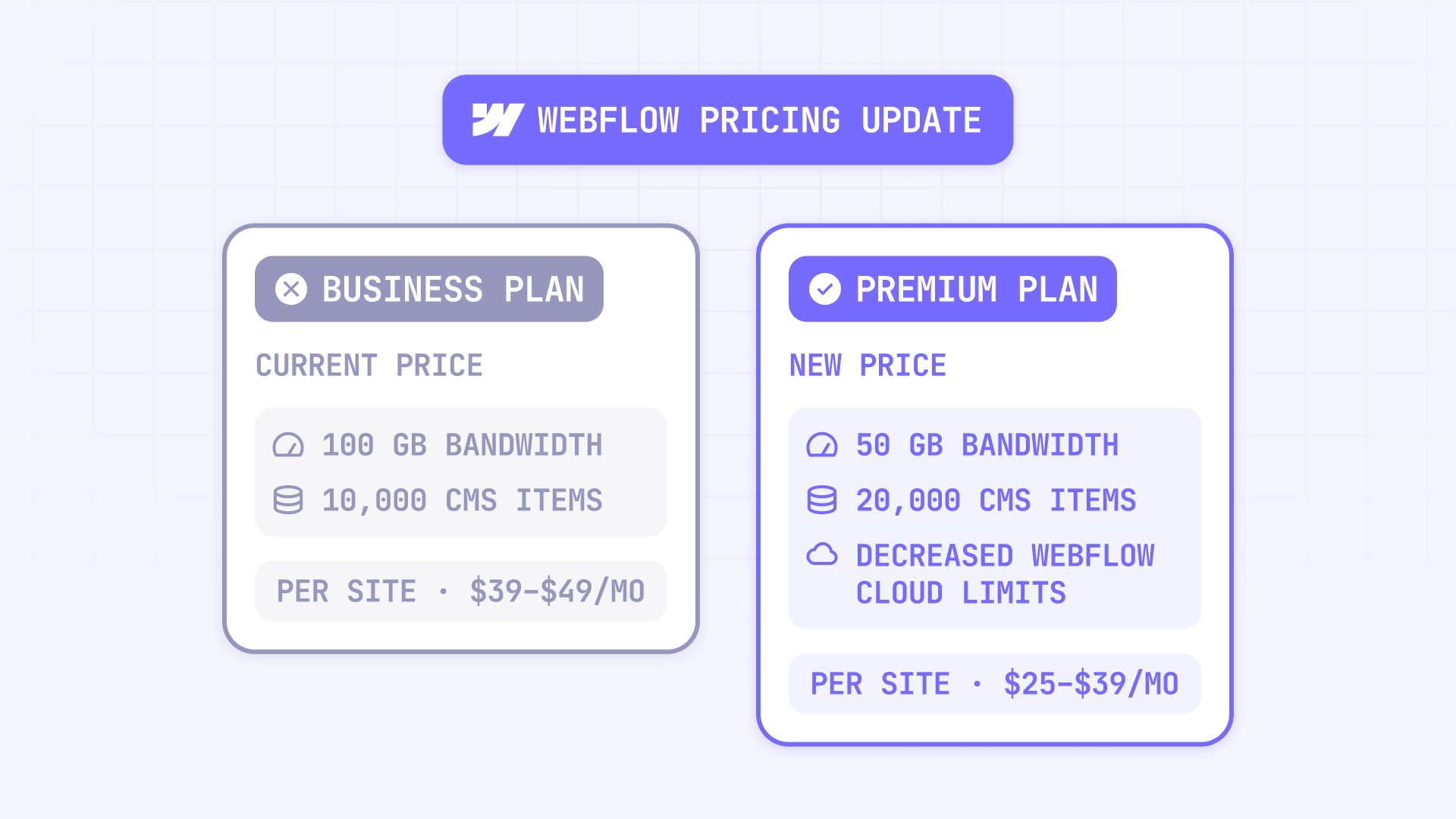
Why the Webflow 2026 pricing update matters for Webflow sites
This update is not just a regular price change. It changes how Webflow packages CMS capacity, bandwidth, add-ons, and upgrade paths for content-heavy websites.
Here is why it matters:
- CMS and Business are being replaced: Webflow is combining the CMS and Business Site plans into one new Premium Site plan. Existing CMS and Business sites will be migrated when the change applies to their account.
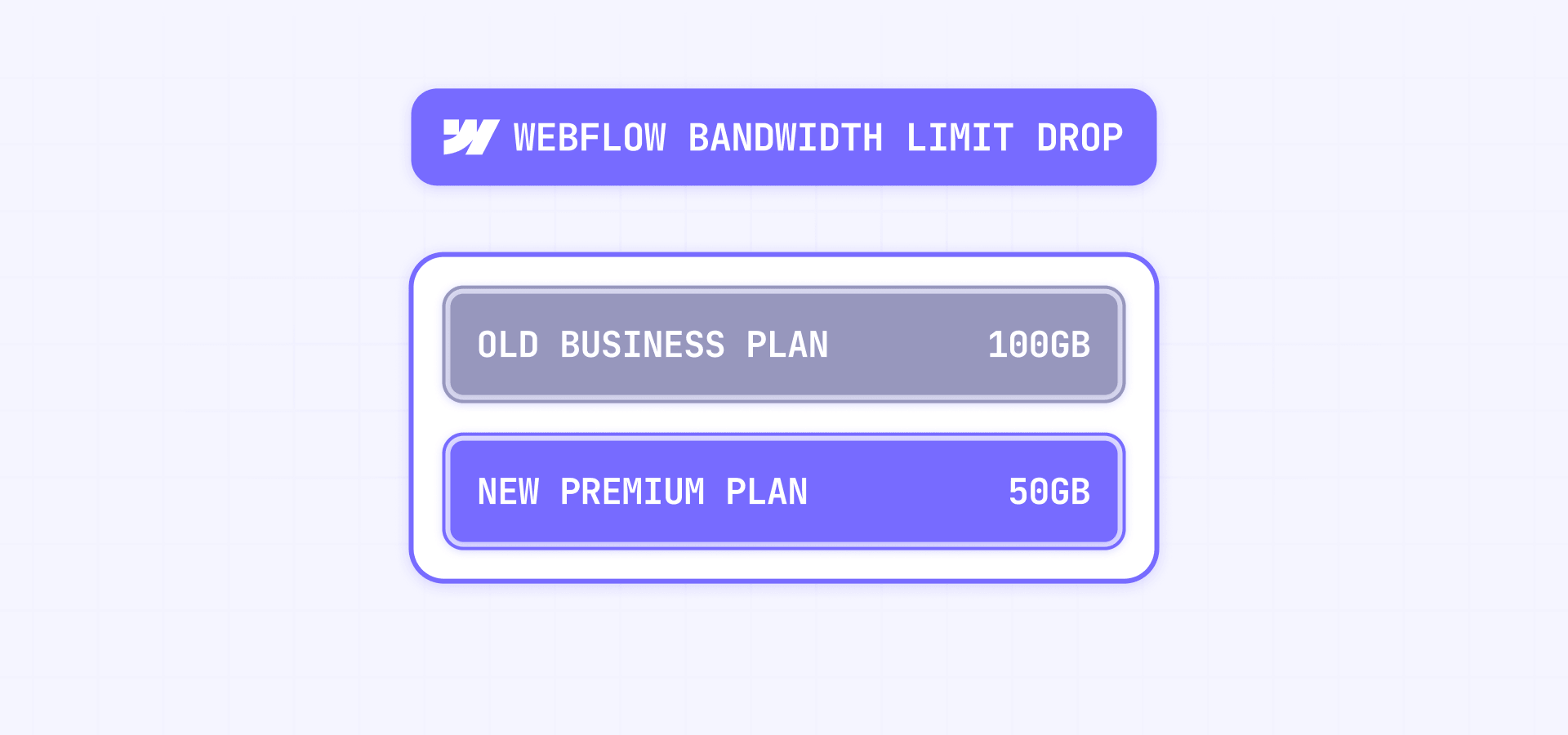
- Bandwidth is now the biggest risk factor: The old Business plan included 100GB of bandwidth. Premium includes 50GB before bandwidth add-ons, so Business users above 50GB need to review their usage carefully.
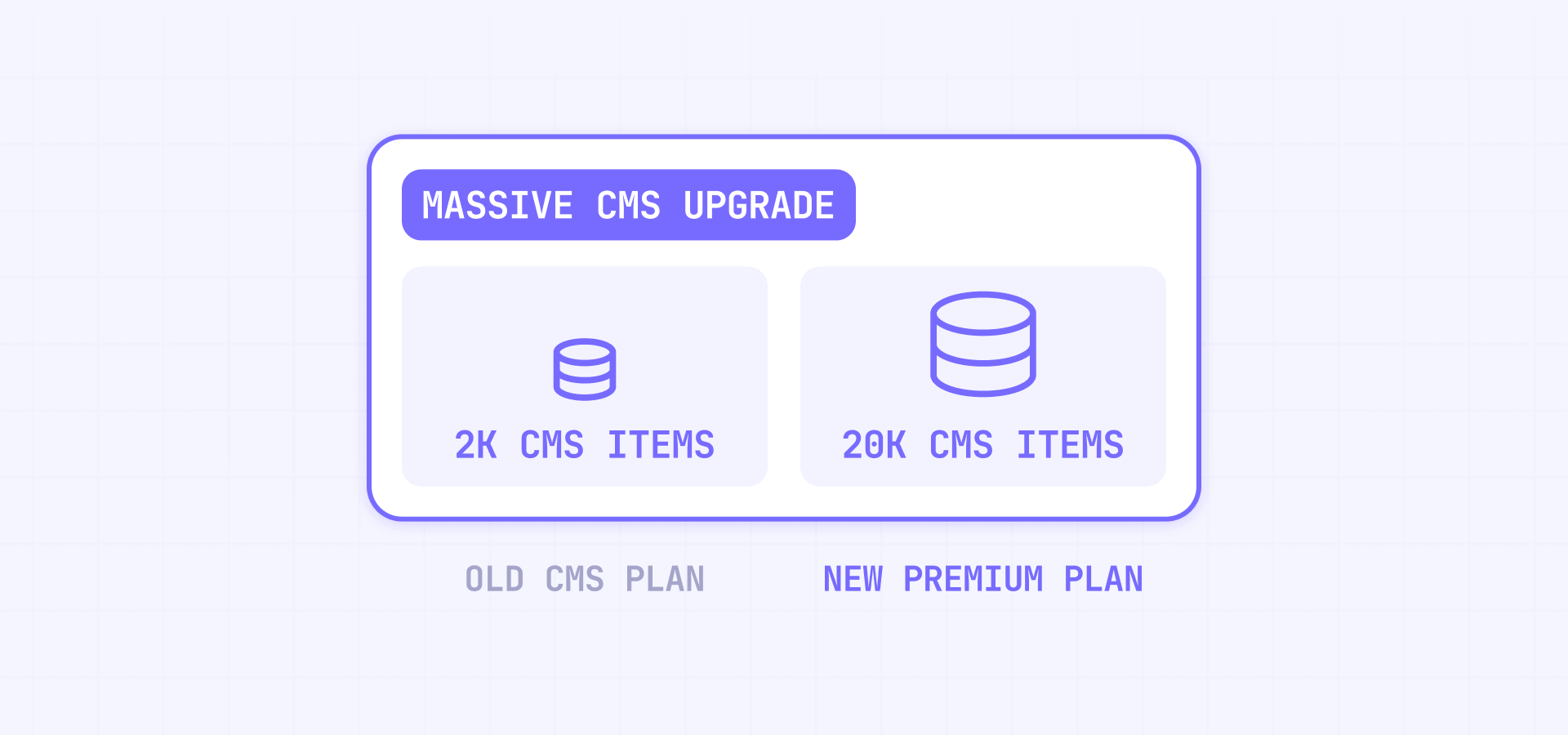
- CMS users get much higher limits: Premium includes 20,000 CMS items and 40 CMS Collections, which is a major upgrade from the old CMS plan limits.
- Agencies need to explain this clearly to clients: Sites in Freelancer or Agency Workspaces get more time before the transition, but agencies still need to review each client's renewal date, bandwidth, and billing cycle.
The key takeaway is simple: Webflow pricing is no longer something you can judge only by the plan name. You need to look at actual usage.
What changed in Webflow pricing in 2026?
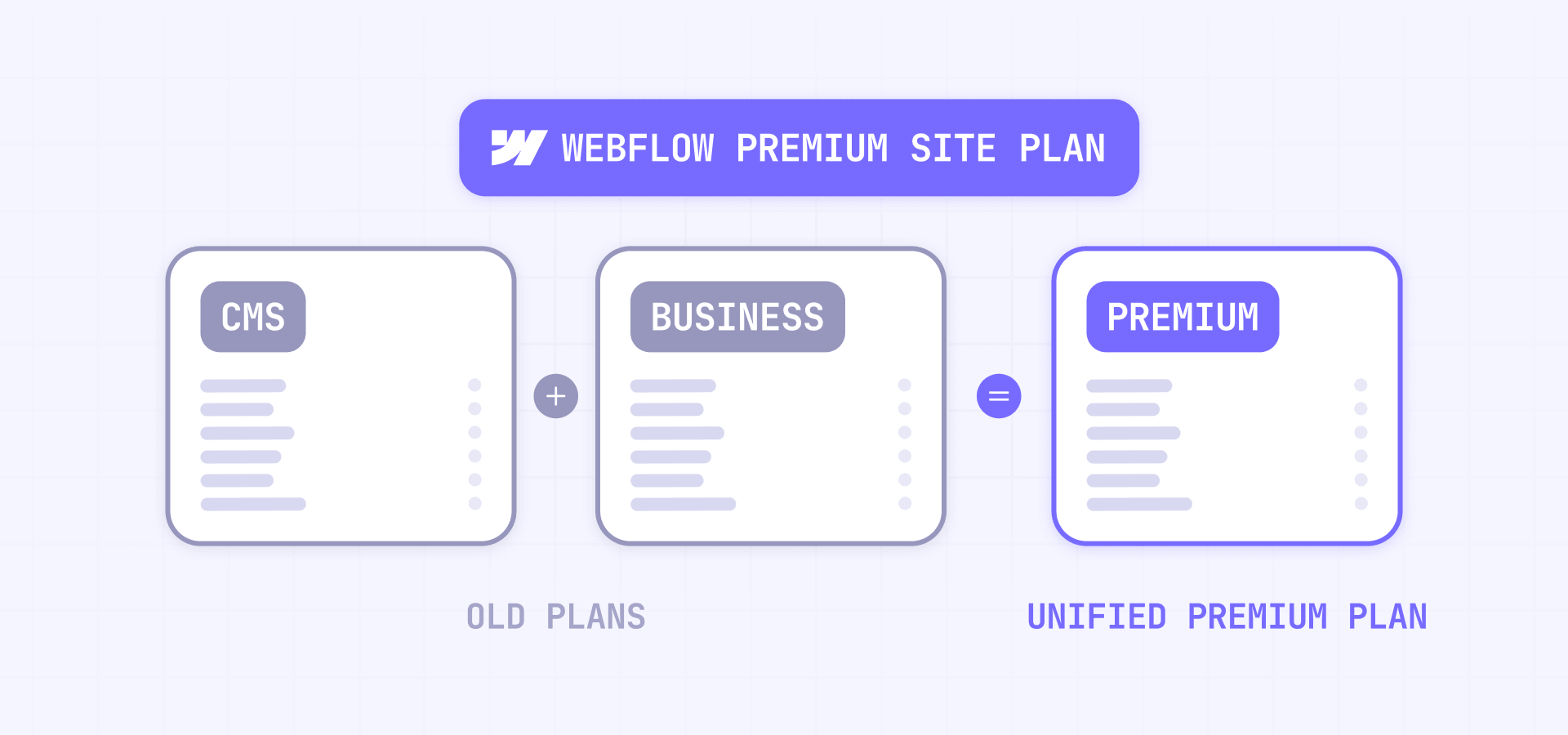
Webflow's 2026 update changes the paid Site plan lineup and adds new packaging around teams and AI credits. The biggest change is that Webflow is combining CMS and Business into a new Premium Site plan.
The main changes are:
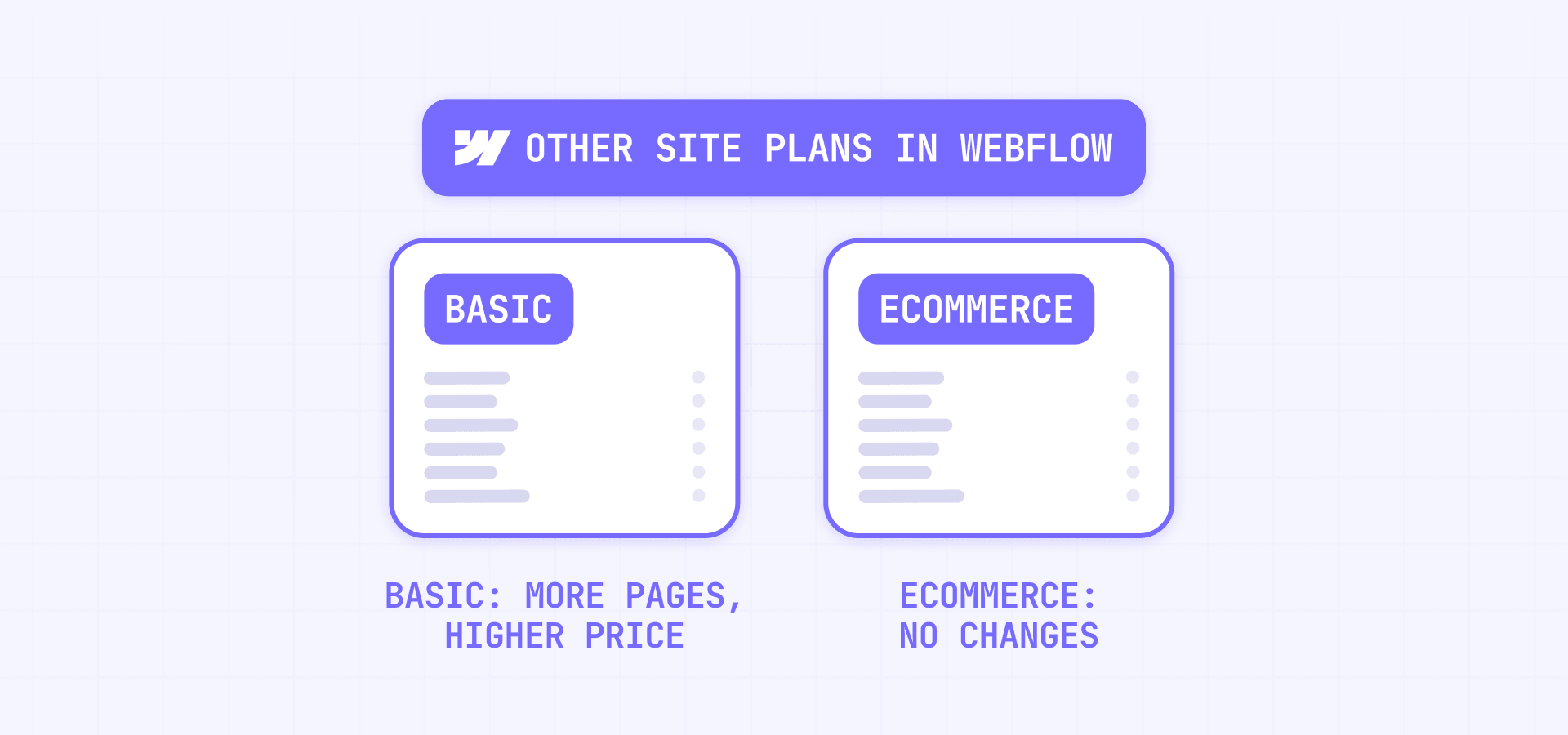
- Basic now costs more, but includes more static pages.
- CMS and Business are being replaced by Premium.
- Premium costs $25/month when billed yearly or $39/month when billed monthly.
- Premium includes 20,000 CMS items and 40 CMS Collections.
- CMS item add-ons are being removed because Premium includes the higher CMS item limit.
- Premium includes 50GB of bandwidth by default, with bandwidth add-ons available when needed.
- Ecommerce Site plans are not part of this update.
- Webflow introduced a new Team plan for growing teams that need more control but are not ready for Enterprise.
- Webflow is adding AI credits to Workspace plans.
AI credits are included in Workspace plans starting May 13, 2026, but Webflow says AI credit limits will not be enforced until June 29, 2026.
This is why the update can feel contradictory. Webflow simplified the plan structure, but the billing impact still depends heavily on your current setup.
The quick answer: who will pay more and who will pay less?
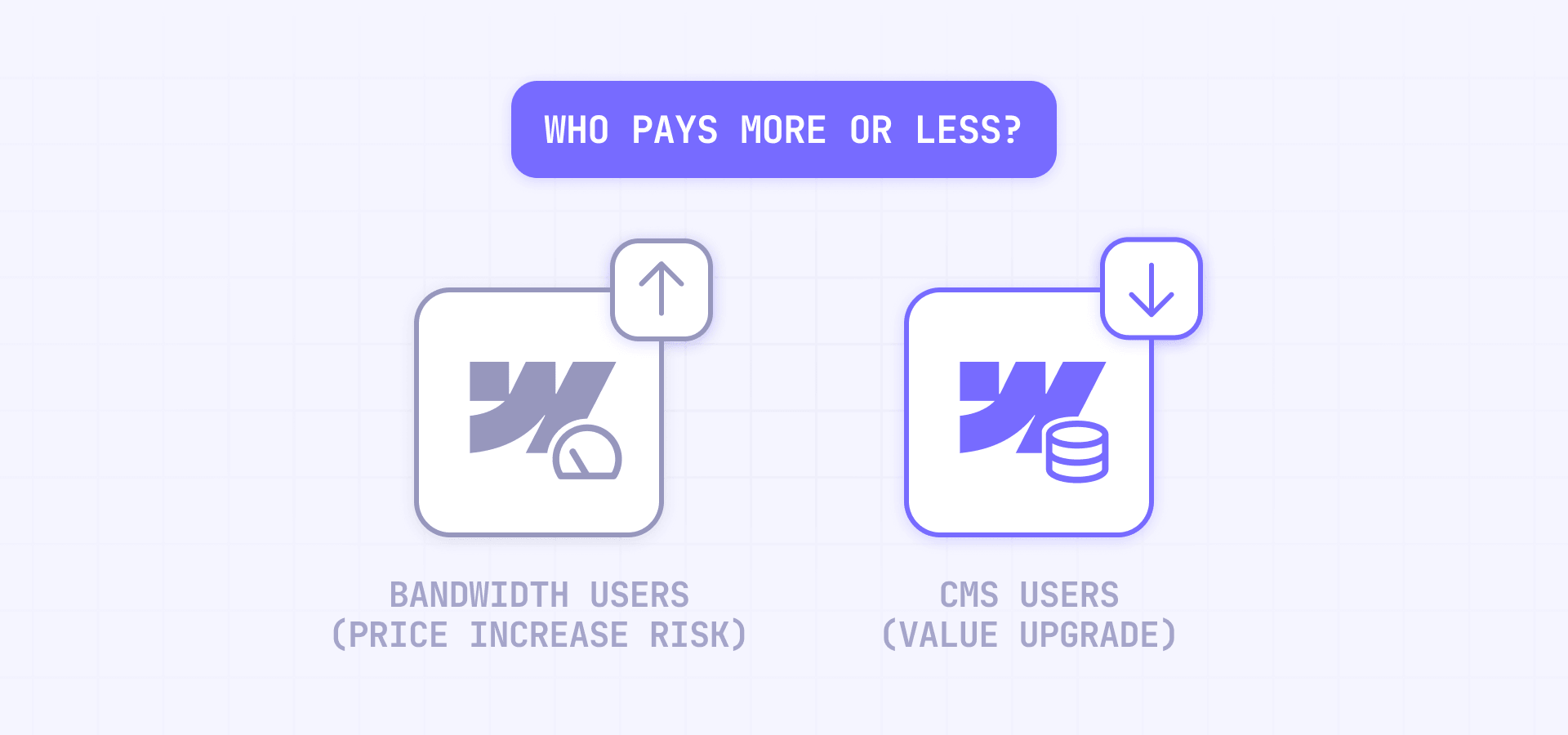
The easiest way to understand the pricing change is to separate users by scenario.
Basic users will generally pay more, although they get a higher static page limit. CMS users will usually get more value because Premium includes much higher CMS limits. Business users under 50GB of bandwidth will often pay less because Premium has a lower base price. Business users above 50GB need to be more careful, because bandwidth add-ons can offset the lower plan price.
This assumes standard self-serve pricing. If your site is on legacy pricing, a discount, or a custom agreement, your current price may differ.
The biggest winners are usually CMS users and Business users who were paying for CMS item add-ons. The biggest risk is for Business users who were using the plan mainly for its 100GB of included bandwidth.
That is the core of the update: Premium is better for CMS capacity, but less generous with included Business bandwidth.
Use our Webflow pricing before-and-after calculator
Because there are too many possible combinations, a calculator is the best way to make this article genuinely useful. Use the calculator below to select your current setup and immediately see whether your estimated Site plan cost goes up, goes down, or stays close to the same after the 2026 pricing update.
The calculator asks for your current Site plan, billing cycle, bandwidth usage, CMS item count, and Workspace type. It then shows your current estimated Site plan cost, your new estimated Site plan cost, the monthly difference, the main reason for the change, whether bandwidth add-ons are likely, which transition date applies, and what to check before renewal.
The result explains why the price changed — whether the difference comes from Basic pricing, the Premium transition, removed CMS item add-ons, added bandwidth, or renewal timing.
Note that this is a Site plan estimate, not a full Webflow bill forecast. Workspace plans, seats, Analyze, Optimize, Localization, taxes, Enterprise contracts, and custom agreements can still change the final invoice. Many Webflow users think of "Webflow pricing" as one number, but a Webflow bill can include Site plans, Workspace plans, seats, add-ons, and sometimes custom terms.
Webflow also offers an official calculator that estimates how the Site plan change affects existing Basic, CMS, and Business users. For CMS and Business users, Webflow explains that they do not need to manually transition because eligible sites will automatically move to Premium, with bandwidth add-ons if needed based on recent usage.
What is the new Webflow Premium Site plan?
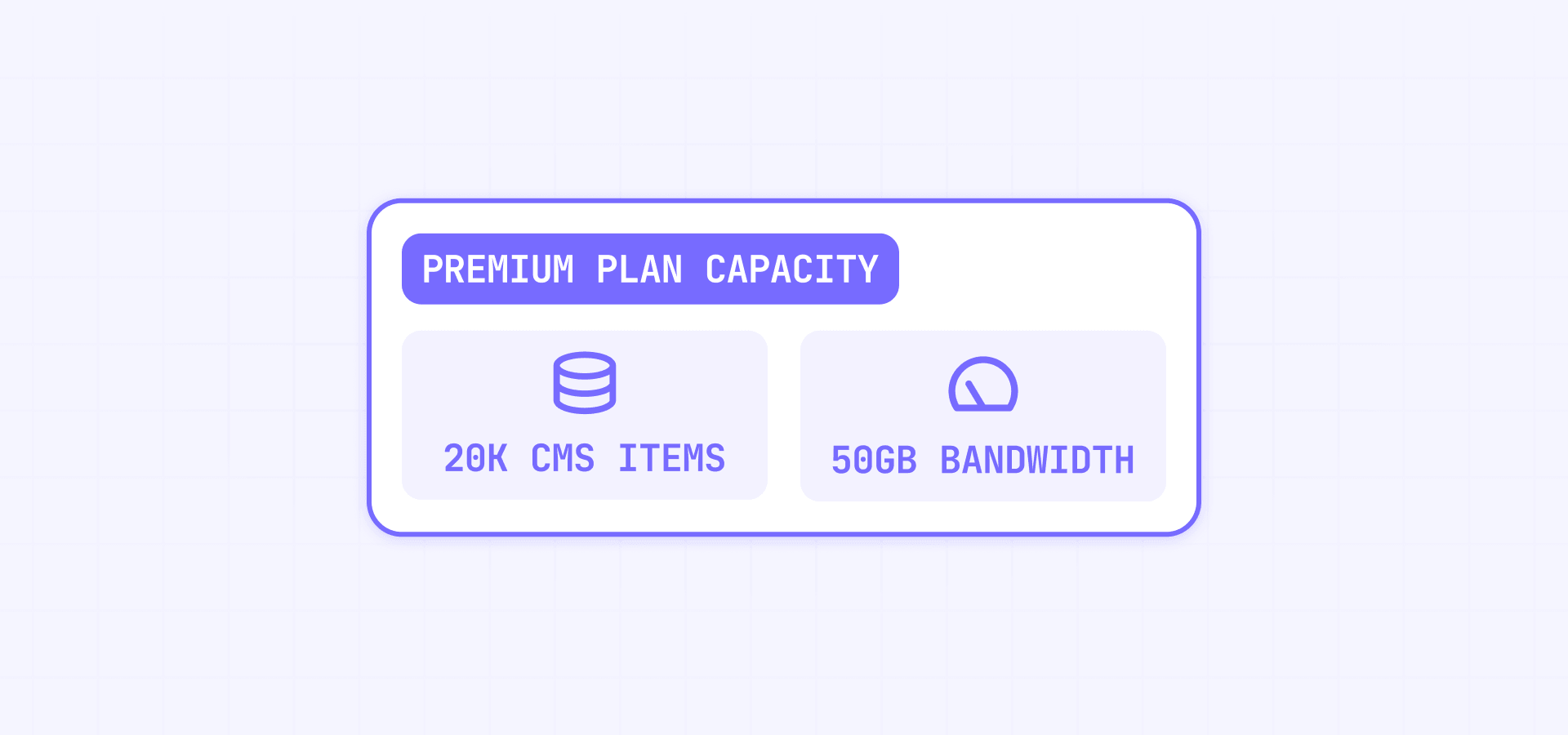
The Webflow Premium Site plan is the new plan replacing CMS and Business for content-rich websites. Webflow describes it as a plan for sites with robust CMS and traffic needs. On the current pricing page, Premium is listed at $25/month when billed yearly and includes Webflow CMS, 50GB of base bandwidth, site search, form file upload, code components, and well-known files.
Premium is best understood as the new default plan for serious CMS-driven websites. It includes:
- 20,000 CMS items.
- 40 CMS Collections.
- 300 static pages.
- 50GB of included bandwidth.
- Bandwidth expansion options up to 2.5TB.
- Site search.
- Form file upload.
- Well-known files.
The important nuance is that Premium is not simply "Business with a new name." It gives more CMS capacity, but it includes less base bandwidth than the old Business plan.
Premium vs CMS: what changes for current Webflow CMS users?
For current CMS users, the Premium migration is mostly a value upgrade, even though the price increases.
The old CMS plan was built for smaller content sites. It included CMS features, but the CMS item and Collection limits could become restrictive for larger blogs, resource libraries, directories, and content-heavy marketing sites. Before the 2026 update, the CMS plan cost $29/month monthly or $23/month yearly, with 2,000 CMS items, 20 CMS Collections, 150 pages, and 50GB of bandwidth. For a full breakdown of what each plan includes, see our guide to Webflow pricing plans.
Premium increases the CMS ceiling significantly. CMS users moving to Premium get 20,000 CMS items, 40 CMS Collections, 300 static pages, file form upload, well-known files, and faster search indexing.
That makes Premium a better fit for:
- Larger blogs and editorial sites.
- Resource libraries with hundreds or thousands of entries.
- Directories with many CMS records.
- Marketing sites that need more CMS flexibility.
- Websites that previously felt close to CMS limits. If your site is still approaching the item ceiling, learn how to work around the Webflow CMS item limit.
The tradeoff is price. CMS users pay more than before, especially on monthly billing. But for many content-heavy sites, the added CMS capacity may justify the increase.
Premium vs Business: what changes for current Webflow Business users?
For Business users, the Premium migration is more complicated.
The old Business plan was often used for two different reasons: more CMS capacity or more bandwidth. That distinction matters now.
If you were on Business because you needed more CMS items, Premium may be better. Premium includes 20,000 CMS items, and Webflow says CMS item add-ons will be removed because the new limit covers what those add-ons previously unlocked.
If you were on Business mainly because you needed 100GB of bandwidth, Premium may be worse. Business included 100GB, while Premium includes 50GB before add-ons. Webflow says that if your site exceeded 50GB in the past two billing months, bandwidth add-ons will be added to your Site plan to cover your usage.
So the Business migration depends on one question:
Were you using Business for CMS limits, bandwidth, or both?
If it was CMS limits, Premium may save money or give you more value. If it was bandwidth, you need to run the calculator before assuming the new plan is cheaper.
What changed for Webflow Basic and Ecommerce plans?
The Basic plan change is easier to understand than the CMS and Business migration.
Basic now costs $15/month when billed yearly or $25/month when billed monthly, and Webflow's current pricing page shows that it includes 300 static pages and 10GB of bandwidth.
For Basic users, the update means a higher price but more page capacity. This is useful for simple static websites, landing page systems, or smaller company sites that do not need CMS.
Ecommerce is different. Webflow says Ecommerce Site plans are not changing as part of this update.
That does not mean Ecommerce users should ignore their full Webflow bill. Workspace plans, seats, taxes, and add-ons can still matter. But this specific Premium migration does not apply to Ecommerce Site plans.
Why bandwidth is the biggest risk in the new Webflow pricing model

Bandwidth is the most important variable in this update because Webflow reduced the included bandwidth for former Business users.
The old Business plan included 100GB of bandwidth. Premium includes 50GB by default. If your site is consistently above 50GB, the lower Premium base price may not tell the full story because bandwidth add-ons may be required.
This creates a very specific risk group: Business sites with moderate or high traffic, heavy images, videos, downloadable assets, or bot traffic.
For these sites, the price question is not "Is Premium cheaper than Business?" The better question is:
After adding the bandwidth required to match my current usage, is Premium cheaper or more expensive than my old Business setup?
How Webflow bandwidth add-ons affect your final price
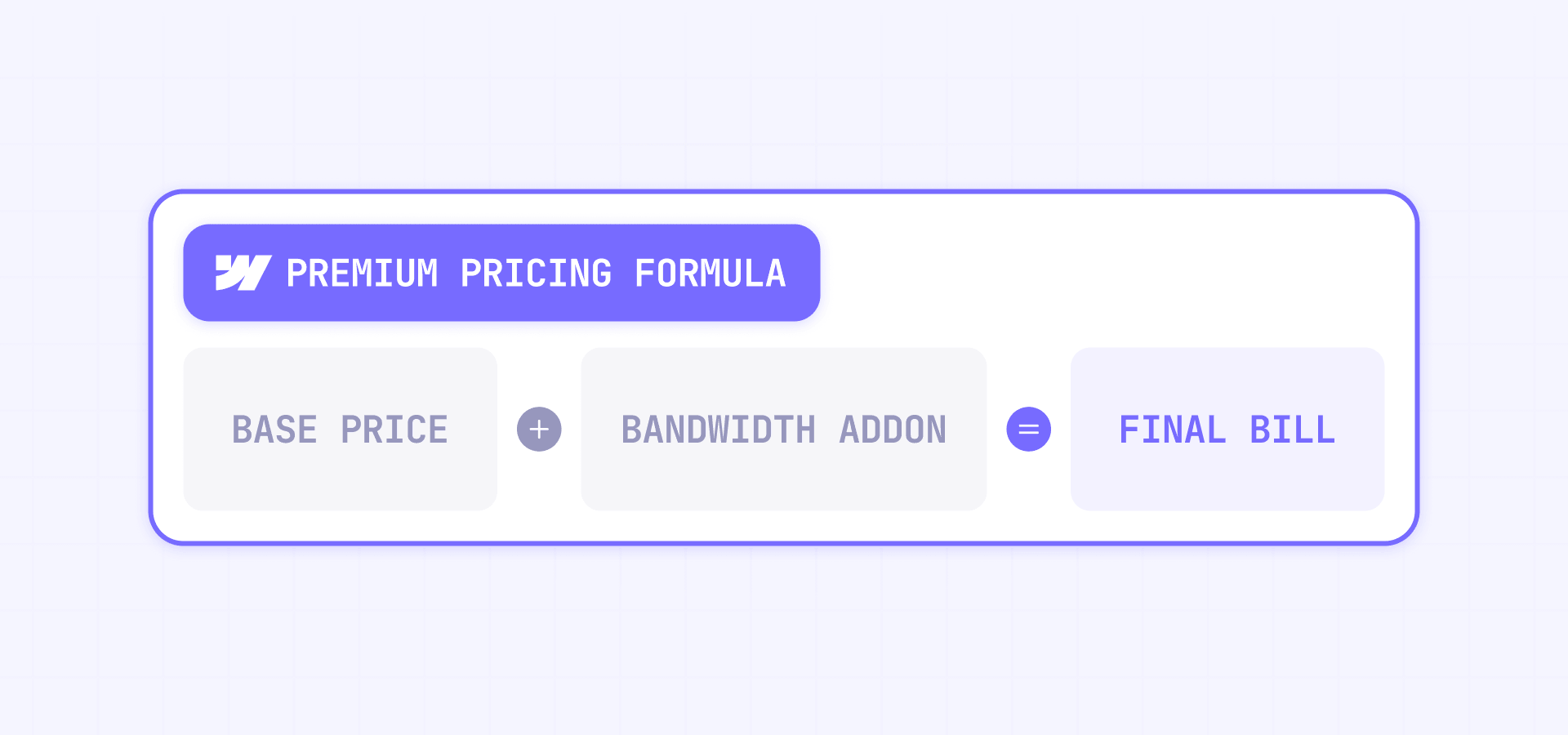
Premium starts with 50GB of bandwidth and can be expanded through bandwidth add-ons. Webflow's pricing page shows Premium bandwidth options from 50GB up to 2.5TB, with the first +50GB add-on listed at $20/month billed annually or $30/month billed monthly.
The first bandwidth add-on is the most important one for many Business users. If your old Business site used between 51GB and 100GB, you were previously inside the included Business bandwidth. Under Premium, that same usage may require an add-on.
That is the clearest way to explain the pricing shift:
Webflow lowered the Business-style base price, but also lowered the included bandwidth.
For some users, that tradeoff is positive. For others, it is the reason their bill increases.
What happens to Webflow CMS item add-ons?
CMS item add-ons are being removed because Premium includes 20,000 CMS items. Webflow says that if a Business site has a CMS item add-on, that add-on will be removed at renewal because the new Premium limit covers what it previously unlocked.
This is one of the strongest benefits of the update.
Before the change, Business started with 10,000 CMS items and could be expanded with add-ons. Sites that needed more had to pay for add-ons to unlock higher CMS item capacity.
After the update, Premium includes 20,000 CMS items by default. That means a Business user with CMS item add-ons may save money even if bandwidth add-ons still apply.
This is also why the update is not a simple "price increase" story. It is a packaging change. Webflow is making CMS capacity more generous, while making bandwidth the variable that many Business users need to watch.
What changed for Webflow Cloud limits?
Webflow Cloud is one of the easier details to miss because most users focus on pricing, bandwidth, and CMS items.
For CMS users moving to Premium, Webflow Cloud limits increase. For Business users moving to Premium, Webflow says Cloud limits decrease across several resources. In the Help Center, Webflow specifically notes that Business users moving to Premium see web app requests decrease from 10M to 2M per month, and CPU usage decrease from 120 to 30 per month.
This may not matter for a standard marketing site that is not using Webflow Cloud heavily. But if your site uses Webflow Cloud apps or depends on those limits, review this before assuming Premium is automatically better.
For traditional CMS sites, the price and bandwidth impact will likely matter more. For technical builds, the Cloud limit changes deserve their own review.
Important dates for existing Webflow customers
Webflow is rolling out the pricing changes in phases. The exact date depends on the type of site and Workspace.
- For new Site plan purchases, the updated pricing started on May 13, 2026.
- For most existing sites, changes apply at the next renewal or billable change on or after June 29, 2026.
- For existing sites in Freelancer or Agency Workspaces, or sites on legacy pricing, the transition happens at the next renewal or billable change on or after November 16, 2026.
These dates matter because the new pricing does not hit every existing customer immediately. If you manage client sites, this gives you time to audit usage, estimate the impact, and explain the change before renewal.
A billable change can include changing the base Site plan or switching between monthly and yearly billing, so review your account carefully before making plan changes.
Should you switch to yearly billing before the Webflow pricing change?
For some existing customers, switching to yearly billing before the transition date can lock in the current Site plan for another year. Webflow mentions this in both its blog announcement and pricing calculator content.
This can be useful if the new Premium pricing will increase your cost because of bandwidth add-ons. It can also help agencies give clients more time to approve the new pricing or decide whether to optimize bandwidth first.
However, switching to yearly billing is not automatically the right move for everyone. If Premium will reduce your cost, locking in the old pricing may not help. If your site is under 50GB and currently on Business, Premium may actually be cheaper.
The right order is:
- Check your current usage.
- Run the calculator.
- Compare old and new pricing.
- Decide whether yearly billing helps.
Do not switch billing cycles blindly. Use the calculator first.
How to check your new Webflow price before renewal
Before your next renewal, review the specific factors that affect your Site plan price. Do not rely only on the plan name.
Start with your current Site plan, billing cycle, recent bandwidth usage, CMS item count, and Workspace type. Then check whether your site has CMS item add-ons or bandwidth add-ons. Finally, compare the result against the new Premium setup.
For Business users, the most important number is recent bandwidth usage. Webflow says bandwidth add-ons may be added if the site exceeded 50GB in the past two billing months. If you have not checked your bandwidth before, learn how to monitor, estimate, and reduce your Webflow bandwidth usage.
A good review should answer:
- Is this site currently on Basic, CMS, Business, Ecommerce, or Enterprise?
- Is the site billed monthly or yearly?
- Has the site exceeded 50GB of bandwidth recently?
- Does the site have CMS item add-ons?
- Is the site in a Freelancer or Agency Workspace?
- What is the next renewal date?
Once you know those answers, the pricing change becomes much easier to explain.
Why your Webflow bandwidth may be higher than expected
Bandwidth is easy to underestimate because it does not always match what you see in analytics tools.
Analytics tools usually focus on visits, sessions, and pageviews. Bandwidth measures data transfer. That means a site can have normal-looking traffic but still use a lot of bandwidth if it serves large assets, videos, files, or repeated asset requests.
Common reasons bandwidth can get high include large uncompressed images, heavy videos, downloadable PDFs, bot traffic, possible AI crawler activity, external requests to Webflow-hosted assets, paid campaign traffic, and CMS pages that reuse large media assets.
A simple way to estimate expected bandwidth is:
Average page size × monthly pageviews = estimated monthly bandwidth
For example, a 2MB page with 50,000 monthly pageviews can roughly consume 100GB of bandwidth. This is not a perfect calculation, but it helps you understand whether your site is close to the new Premium limit.
If your Webflow bandwidth is much higher than expected, review your largest assets first. In many cases, optimizing images, offloading large downloads, or reducing video weight can lower bandwidth before renewal. For a complete guide to avoiding overage charges, see our Webflow bandwidth optimization guide.
What agencies and freelancers should review before telling clients
Agencies should not send clients a generic "Webflow increased pricing" email. The impact is too specific.
A better client explanation should say what changed for that specific site and why. Some clients may pay less. Some may pay more. Some may only be affected if their site exceeded 50GB of bandwidth in the past two billing months or continues trending above the included Premium bandwidth.
Before contacting clients, review:
- Current Site plan and billing cycle.
- Recent bandwidth usage.
- CMS item count and CMS add-ons.
- Renewal date.
- Workspace type.
- Whether the client is on monthly or yearly billing.
- Whether bandwidth optimization could reduce the increase.
A useful client-facing explanation could be:
Webflow updated its pricing in 2026 and is replacing CMS and Business with a new Premium plan. Your exact price depends on your current plan, bandwidth usage, CMS item count, and renewal date. We reviewed your site specifically, and the main factor affecting your price is [bandwidth / CMS item add-ons / Basic plan change / no major change].
That is much clearer than saying Webflow simply raised prices.
Troubleshooting common Webflow pricing and bandwidth surprises
- The Business site became more expensive after moving to Premium: Check bandwidth first. Business included 100GB, while Premium includes 50GB before add-ons. If the site is above 50GB, bandwidth is probably the reason.
- The site exceeded bandwidth once but was not charged immediately: Webflow provides surge protection for Basic, Premium, and legacy CMS/Business plans. If the site exceeds its bandwidth allotment for one billing month, you are not charged immediately. If it exceeds the limit again the following billing month, Webflow may automatically upgrade the plan or bandwidth tier based on recent usage. Verify this by checking bandwidth usage across the last two billing months, not only the current month.
- The CMS site costs more, but does not need 20,000 CMS items: This is one of the tradeoffs of the new plan structure. CMS users get much higher limits, but smaller CMS sites may still feel the price increase.
- Webflow bandwidth does not match Google Analytics: Analytics measures visits and sessions. Bandwidth measures transferred data. Large assets, bots, crawlers, downloads, and hotlinked files can consume bandwidth without appearing as normal visitor behavior.
- The site is in an Agency Workspace but the date looks earlier: Confirm the Workspace type. Webflow says Freelancer/Agency Workspace sites and legacy pricing sites transition on or after November 16, 2026, not June 29, 2026.
- The Ecommerce site appears affected: Ecommerce Site plans are not changing in this update. If an Ecommerce invoice changes, check other billing lines such as Workspace plans, seats, taxes, or unrelated add-ons.
Frequently asked questions about Webflow's 2026 pricing changes
What is the Webflow Premium plan in 2026?
The Webflow Premium plan is the new Site plan replacing the old CMS and Business Site plans. It is designed for content-rich websites that need CMS, site search, more CMS items, more CMS Collections, form file upload, and expandable bandwidth. Premium costs $25/month billed yearly or $39/month billed monthly, and it includes 20,000 CMS items and 40 CMS Collections. The important detail is that Premium is not just a renamed Business plan. It increases CMS capacity, but it includes 50GB of bandwidth instead of the old Business plan's 100GB. For current CMS and Business users, the safest next step is to check bandwidth and CMS usage before renewal.
Why did Webflow replace CMS and Business with Premium?
Webflow replaced CMS and Business with Premium to simplify the Site plan lineup and reduce the need for CMS item add-ons. The old setup forced users to choose between CMS and Business even when their needs overlapped. Premium creates one main option for content-rich sites, with higher CMS limits and expandable bandwidth. This is helpful for users who need more CMS capacity, but it can be less favorable for Business users who mainly needed the old 100GB bandwidth limit. The practical takeaway is that Premium is easier to understand as a plan, but the final cost still depends on your bandwidth usage.
How much does Webflow Premium cost in 2026?
Webflow Premium costs $25/month when billed yearly or $39/month when billed monthly. That is the base Site plan price before bandwidth add-ons, taxes, Workspace plans, seats, Analyze, Optimize, Localization, Ecommerce, or custom billing terms. For low-bandwidth Business users, Premium may reduce the monthly Site plan cost. For higher-bandwidth Business users, the final cost can increase once bandwidth add-ons are included. Do not judge the update by the base Premium price alone. Use a calculator that includes your billing cycle, bandwidth usage, and CMS item access before deciding whether the new pricing is better or worse for your site.
How does Webflow bandwidth affect the 2026 pricing update?
Webflow bandwidth is the biggest variable in the 2026 pricing update because Premium includes 50GB, while the old Business plan included 100GB. If your Business site uses 50GB or less, Premium may be cheaper. If your site uses more than 50GB, Webflow may add bandwidth add-ons to cover your usage. This can make Premium more expensive than Business in some cases. Before your renewal, check recent bandwidth usage inside Webflow and look for large images, videos, downloads, bot traffic, possible AI crawler activity, or external requests to Webflow-hosted assets that may be increasing data transfer.
What happens to Webflow CMS item add-ons after Premium?
Webflow CMS item add-ons are being removed because Premium includes 20,000 CMS items by default. This is a major benefit for Business users who previously paid extra to unlock more CMS item capacity. If your old Business plan had a CMS item add-on, Webflow says that add-on will be removed at renewal because the new Premium limit covers what it previously unlocked. This means some Business users may save money even if they still need bandwidth add-ons. The best way to evaluate the change is to compare both sides: removed CMS item costs and added bandwidth costs.
Can I keep my old Webflow pricing for another year?
In some cases, yes. Webflow says existing customers can switch from monthly to yearly billing before their Site plan changes take effect to lock in the current Site plan for another year. This can help if the new Premium pricing will increase your cost because of bandwidth add-ons. However, it is not always the best move. If Premium will lower your cost, staying on old pricing may not help. Before switching billing cycles, run the calculator and check your renewal date. Make the decision based on the estimated before-and-after price, not the plan name alone.
Do Webflow Ecommerce plans change in the 2026 pricing update?
No. Webflow says Ecommerce Site plans are not changing in this pricing update. The main changes affect Basic, CMS, Business, and the new Premium plan. However, Ecommerce users should still review their full Webflow bill because other items can still affect the final invoice, including Workspace plans, seats, taxes, Analyze, Optimize, Localization, or custom add-ons. If an Ecommerce invoice changes, do not assume it is because of the Premium migration. Check the billing lines separately and confirm whether the change comes from the Site plan, Workspace plan, or another add-on.
How do Webflow pricing changes affect agencies and freelancers?
Agencies and freelancers get more time to prepare if client sites are in Freelancer or Agency Workspaces or on legacy pricing. Webflow says those sites transition at renewal or billable change on or after November 16, 2026. For most other existing sites, the date is June 29, 2026. Agencies should review each client's plan, bandwidth, CMS item count, billing cycle, and renewal date before sending pricing updates. The best client communication is specific: explain whether the site pays more, less, or about the same, and why. A client-by-client review is the safest approach.
How do I reduce Webflow bandwidth before the pricing change?
To reduce Webflow bandwidth, start by identifying the largest files and most requested assets on your site. Compress images, avoid unnecessarily large hero media, offload heavy PDFs or downloads, review video usage, and check whether bots or hotlinked assets are creating unnecessary traffic. Also review landing pages used in paid campaigns, because a heavy page can multiply bandwidth quickly when ad traffic increases. The goal is not only to avoid add-ons, but also to make the site faster and easier to maintain. Start with asset optimization before considering a platform migration.
Conclusion: check your Webflow bandwidth before judging the new pricing
Webflow's 2026 pricing update is not simply good or bad for everyone. CMS users generally get more value, Basic users pay more for more static pages, and Business users need to check bandwidth before deciding whether Premium is cheaper or more expensive.
The most important next step is to review your current plan, billing cycle, bandwidth usage, CMS item count, add-ons, Workspace type, and renewal date. Once you know those variables, the new pricing becomes much easier to understand.
If your site is bandwidth-heavy, client-managed, or close to plan limits, review the setup before renewal. BRIX Templates can also help audit, optimize, or restructure Webflow sites through its Webflow agency services if you need expert support before the new pricing applies.










Join readers commenting on this post!