
Concerned that moving to Framer will destroy your search rankings? Here's what actually happens: switching to Framer preserves your SEO authority when you execute the migration properly. Many sites even see better organic performance afterward thanks to Framer's pre-rendered HTML, global CDN infrastructure, and native SEO capabilities.
This concern stems from a fundamental misunderstanding. Your search authority resides in your domain, URLs, backlink profile, and technical SEO elements — not in WordPress, Squarespace, or whatever platform currently hosts your site. Execute the transition correctly by maintaining these components and setting up proper 301 redirects, and Google treats it as the same website with upgraded infrastructure.
This guide covers exactly how SEO authority functions, why Framer strengthens your organic signals, and the complete process to migrate without sacrificing any ranking positions.
Understanding how SEO authority transfers during Framer migrations
Let's establish what "SEO authority" actually means before discussing the migration mechanics.
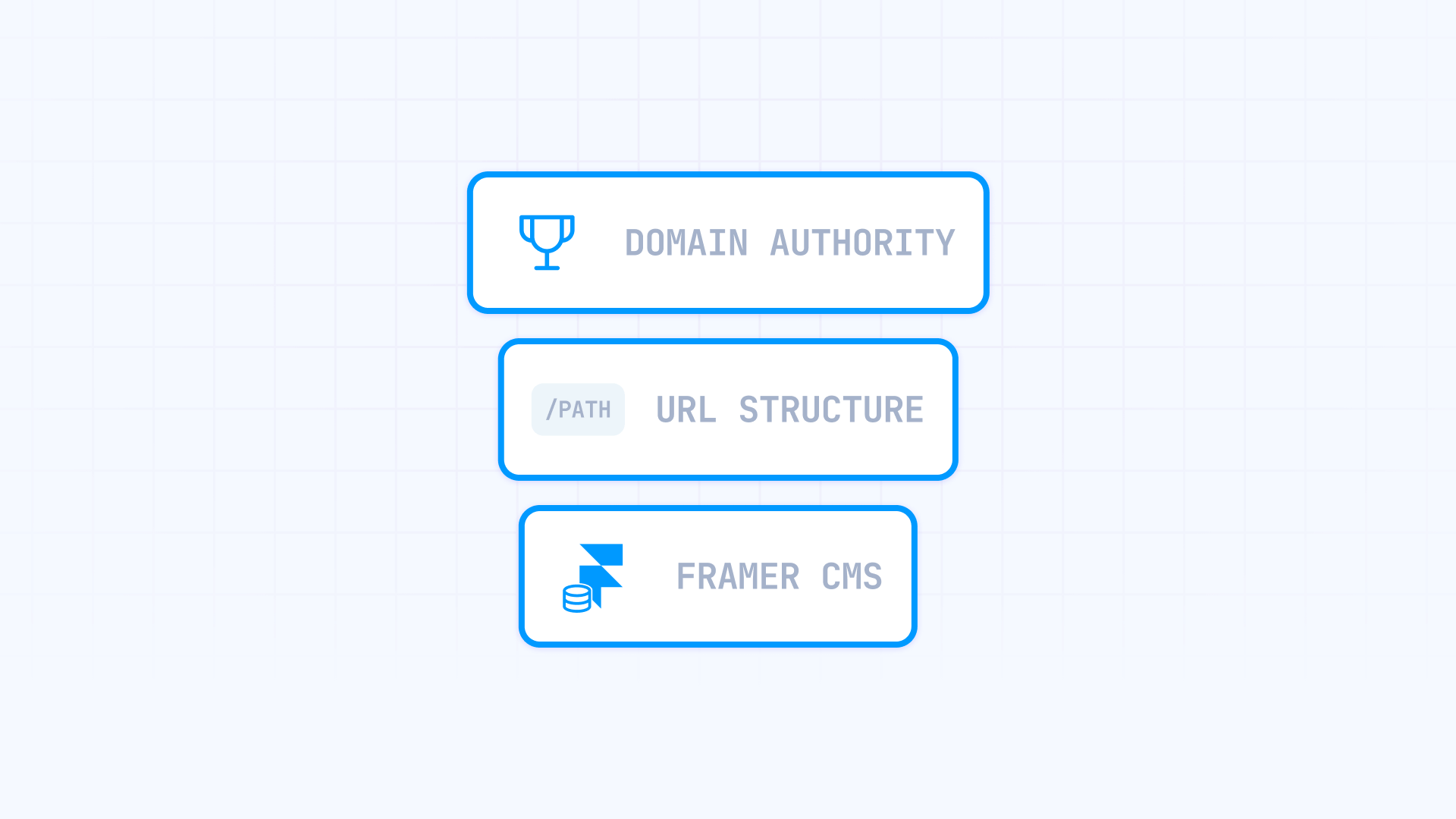
Search engines are platform-agnostic. Google evaluates pages based on content relevance, inbound link profiles, and technical signals. Whether WordPress, Framer, or custom code powers your site is completely irrelevant to the ranking algorithm. What counts is your domain's accumulated trust and the signals connected to it.
Authority builds at two distinct levels. At the domain level, you have the cumulative trust Google assigns to yourdomain.com from years of publishing quality content and earning legitimate backlinks. At the URL level, individual pages develop their own ranking strength through specific links pointing to them and user engagement signals.
Here's where migrations become tricky: inbound links target specific URLs, not "content in WordPress." When your pricing page at /pricing has accumulated 30 quality backlinks over several years, that ranking power attaches to that exact URL path. Recreate it in Framer at the identical path, and everything continues working. Switch it to /our-pricing without a redirect? Those 30 backlinks now hit a 404 error, and that authority disappears.
The reassuring reality: this rarely becomes an issue. Framer provides complete control over URL structure, allowing you to mirror your existing paths exactly. If your WordPress article sits at /blog/marketing-guide, you can build the identical route in Framer. Same URL means same backlinks functioning, zero complications. Edge cases exist where WordPress URL patterns can't be duplicated — things like date-formatted archives (/2024/03/15/article-name) or query-based URLs (/?tag=seo). But solutions exist even when URL changes become necessary.
That solution is the 301 redirect. This HTTP status code signals to Google that content has permanently relocated and that all ranking signals should flow to the new destination. Current SEO research confirms that correctly implemented 301 redirects transfer essentially all link equity. This mechanism enables safe migrations.
Additionally, Framer now supports wildcard redirects with capture groups, meaning you can redirect entire URL patterns like /blog/* → /articles/:1 in a single rule rather than creating hundreds of individual redirects. This dramatically simplifies large-scale migrations.
Beyond URLs, your technical SEO components must carry over during the transition:
- Meta titles and descriptions — directly influence click-through rates from search listings
- Heading hierarchy (H1, H2, H3) — communicates content structure to search crawlers
- Image alt attributes — affects image search visibility and accessibility compliance
- Internal link architecture — distributes authority throughout your site
- Schema markup — enables enhanced search result features
Changing all these elements simultaneously during migration introduces unnecessary confusion for search engines. The safest strategy involves replicating them precisely first, then refining gradually once rankings stabilize.
Why Framer actually improves SEO after migration
Here's where things become interesting. A well-executed migration doesn't just maintain your SEO — transitioning to Framer frequently enhances it. Most appropriate sites experience ranking improvements because Framer solves common technical SEO issues that burden other platforms. Let's examine the specifics.
Framer delivers pre-rendered HTML on a global AWS infrastructure. Unlike JavaScript-heavy frameworks that ship blank pages requiring client-side rendering, Framer generates complete HTML at publish time through server-side rendering. Search engine bots receive fully-formed content instantly — no waiting for JavaScript execution, no rendering delays.
The infrastructure details matter here. Every Framer site deploys to Amazon CloudFront CDN with S3 storage and globally distributed frontends featuring substantial in-memory caching. You automatically receive HTTP/2 multiplexing, Brotli/gzip compression, and intelligent image optimization serving modern formats like WebP. Zero configuration required — it simply works.
Compare this to WordPress, where performance depends heavily on hosting quality, caching plugin configuration, CDN setup, and image optimization tools. A typical WordPress installation requires 20-40 plugins for functionality most businesses need, and each adds database queries, scripts, and potential conflicts.
Framer produces clean, semantic HTML structure. This impacts SEO more than many realize. Sites built with WordPress page builders like Elementor, Divi, or Beaver Builder generate notoriously bloated markup. A straightforward hero section requiring 20 lines of code often balloons into 200+ lines of nested containers, inline styles, and redundant wrappers.
Framer's text styling system automatically assigns semantic tags (H1–H6, paragraph, span) which you can fine-tune through the Accessibility panel. The output remains lean and meaningful — easy for search engines to parse and understand.
Framer includes native SEO tools without plugin dependencies. WordPress SEO relies on plugins like Yoast, RankMath, or All in One SEO. These work, but create overhead:
- Each plugin executes database queries on every page request
- Updates frequently break functionality or conflict with themes
- Multiple plugins competing for identical functions produce unpredictable behavior
- Plugin abandonment creates security vulnerabilities and compatibility problems
Framer embeds these capabilities directly into the platform:
- Meta titles and descriptions — configurable site-wide and per page, including dynamic CMS pages
- Open Graph and social previews — native settings requiring no additional tools
- Automatic XML sitemap — generated and refreshed with every publish
- Robots.txt control — auto-generated plus custom override capability through Well-Known Files
- Index/noindex toggles — simple per-page control including CMS items
- Built-in analytics — privacy-friendly tracking plus easy Google Analytics integration
Because these features are integrated natively, they function reliably without plugin conflicts, compatibility concerns after updates, or wondering whether your SEO configuration survived a template change.
One important caveat about Framer's animation capabilities. Framer makes shipping elaborate animations remarkably easy — perhaps too easy. If you overindulge in motion effects, you risk slowing down your pages and hurting user experience. Treat animation as a budgeted resource requiring restraint, not an unlimited design toy. For design-driven marketing sites that maintain discipline, this isn't problematic. But heavy animation on content-rich pages can undermine the speed advantages.
How to execute a flawless Framer migration from an SEO perspective
Understanding why migrations are safe (and often beneficial), let's discuss execution. The gap between smooth transitions and disasters comes down to three factors: partnering with qualified people, confirming technical details, and tracking results post-launch.
1. Work with an agency experienced in Framer SEO migrations
This sounds self-promotional, but it genuinely matters most. Platform migrations differ fundamentally from standard web design projects. A gorgeous Framer site ignoring SEO fundamentals can erase years of organic traffic overnight.
Before engaging any agency, pose these specific questions:
- "How many platform migrations have you completed, and what SEO outcomes resulted?" Seek agencies providing concrete examples — traffic preserved, rankings maintained, or ideally enhanced. Skepticism is warranted if they can't reference specific migration projects.
- "What's your methodology for URL mapping and redirect setup?" The response should include crawling the existing site, generating comprehensive URL documentation, implementing 301 redirects pre-launch, and rigorous testing. Unfamiliarity with this workflow signals inexperience.
- "How have you managed migrations into Framer where CMS and redirect constraints were relevant?" They should demonstrate awareness of Framer's limitations and strategies to work within them.
- "Have you utilized Framer's wildcard redirects for large URL migrations?" For substantial sites, wildcard support is essential. If they seem unaware this feature exists, they're behind on Framer's capabilities.
- "How do you handle robots.txt, schema, and canonical configuration when Framer's defaults need customization?" Good agencies know when and how to use Well-Known Files for custom robots.txt or inject schema via custom code.
- "What does your post-launch monitoring process involve?" Quality teams monitor Google Search Console for crawl errors, track ranking shifts for priority keywords, and maintain processes for rapid issue resolution.
Most agencies prioritize design while treating SEO as secondary. For migrations specifically, you need a team treating SEO preservation as the primary success metric, not an afterthought.
If you need a team with substantial experience in SEO-focused Framer migrations, our Framer agency has managed projects from small business sites to content-heavy platforms, maintaining consistent records of preserving and improving organic performance.
2. Confirm all SEO elements are configured correctly before going live
Even with the right agency, understanding what must happen and verifying it yourself proves valuable. Here's the complete checklist of SEO components requiring accurate transfer:
Meta titles and descriptions — Every page needs its metadata migrated from your old site into Framer. Access these through Site Settings → SEO for site-wide defaults and individual page settings → SEO section for page-specific overrides. For CMS collections, configure these dynamically using variables like {{Title}} so each item displays unique metadata. Crawling tools like Screaming Frog help audit this at scale, identifying missing entries or errors before they cause problems.
Heading structure — Your H1, H2, and H3 hierarchy should mirror the original site. One H1 per page with logical H2/H3 nesting throughout. In Framer, text styles map to semantic tags automatically — verify these through the Accessibility panel to ensure headings are actual heading tags rather than just styled text.
Image alt text — Alt attributes should migrate with your images. For CMS content, alt text should pull from dedicated fields. Framer's documentation explicitly emphasizes alt text configuration for both accessibility and SEO purposes.
Schema markup — If your current site includes structured data (article schema, organization schema, product schema, FAQ schema, etc.), replicate it in Framer by injecting JSON-LD via custom <head> code. You can add this at the site level through Project Settings or on individual pages and CMS templates using variables like {{Title}}, {{Slug}}, etc.
Canonical URLs — Framer automatically adds self-referencing canonical tags to each page by default. To override this behavior, add a custom <link rel="canonical" href="..."> in the page's head section. For reverse-proxy configurations, use the Canonical URL setting under Settings → Domains.
301 redirects — Navigate to Site Settings → Redirects to configure. Framer uses 301 permanent redirects by default — exactly what you want for migrations. For pattern-based URLs, leverage Framer's wildcard redirects with capture groups. Instead of creating hundreds of individual redirects, you can map entire sections: /blog/* → /posts/:1 or use slug patterns like /blog/:year/:month/:day → /article/:year-:month-:day.
Remember plan limitations: redirects require Personal Pro or higher. Limits range from approximately 100 on Pro to unlimited on Enterprise.
Robots.txt configuration — Framer generates automatic robots.txt, but you can upload custom versions through Site Settings → Well-Known Files. This gives you complete control when defaults need adjustment. Verify your configuration isn't blocking important content from crawlers.
XML sitemap — Framer automatically generates your sitemap at /sitemap.xml. After launching, submit it to Google Search Console and Bing Webmaster Tools to accelerate crawling and indexing of your new pages.
Internal linking — Your internal link architecture should replicate the original site's patterns. Broken internal links damage both user experience and crawlability.
LLMs.txt — For optimization targeting AI agents and large language models (ChatGPT, Claude, Gemini), add an llms.txt file through Framer's Well-Known Files feature. Navigate to Site Settings → Well-Known Files and upload your llms.txt — it will be served at the root path. Note this requires Pro, Launch, Scale, or Enterprise plans. Framer supports up to 30 well-known files per project, enabling you to also include ai-plugin.json, security.txt, and other relevant files.
The objective is a like-for-like transfer of all SEO signals. Resist the temptation to "improve" everything during migration — that introduces excessive variables. Stabilize the migration first, then optimize incrementally.
3. Track performance post-launch through Google Search Console
If you've executed everything correctly, the post-launch period should be uneventful — or even positively eventful with improved rankings and faster load times. But verification through data, not assumptions, remains essential.
Google Search Console serves as your primary monitoring tool. Within the initial 24-48 hours after launch:
- Submit your new sitemap — this signals Google to crawl your updated URLs faster
- Navigate to Coverage (or Pages in the newer interface) and check for any error spikes
- Look specifically for 404 errors — these indicate missed redirects
- Review Excluded pages to ensure nothing important got accidentally blocked
Throughout the first week, check Search Console daily. Monitor for:
- New 404 errors appearing (indicates crawlers encountering broken URLs)
- Decreases in Valid page count (suggests indexing problems)
- Any warnings regarding mobile usability or page experience
During the first month, compare metrics against pre-migration baselines:
- Organic clicks and impressions (minor fluctuation is expected)
- Average position for your priority keywords
- Total indexed page count
With correct configuration, you should observe stable or improving metrics within 2-4 weeks. Google requires time to recrawl your site and process redirects, so minor fluctuations during this window are anticipated. What you don't want is a sustained decline — that indicates something requires immediate attention.
Important reminder: If you modify redirects or well-known files after launch, Framer requires a publish to apply those changes. Updates don't take effect until you explicitly publish the site again.
Indicators of problems:
- Massive surge in 404 errors → audit your redirect map for gaps
- Significant decrease in indexed pages → verify robots.txt and noindex configurations
- Rankings declined for multiple keywords → examine affected pages for technical issues
- Traffic dropped but rankings remained stable → likely a tracking implementation problem, not SEO
Faster identification and resolution of issues means shorter recovery periods. Most migration problems are easily correctable when caught within the first several days.
Frequently asked questions about Framer SEO migration
Does migrating from WordPress to Framer damage search rankings?
No. Moving to Framer doesn't inherently harm your search rankings. Your domain authority and link equity remain intact provided you retain the same domain and implement correct 301 redirects for any modified URLs.
What destroys rankings is poor execution — broken links, missing redirects, altered URLs without forwarding, and losing on-page SEO elements like meta titles, descriptions, and heading hierarchy. When handled properly, many sites actually improve their rankings due to Framer's faster performance and cleaner code.
How long before SEO stabilizes following a Framer migration?
Anticipate 2-4 weeks for Google to fully recrawl your site and update its index. Minor ranking fluctuations during this timeframe are normal as search engines process all your pages.
Most sites return to baseline traffic within 30 days assuming proper migration execution. If issues persist beyond 60 days, something likely went wrong with technical configuration. Monitor Google Search Console daily during the initial week to identify problems early.
What happens to my backlinks when switching to Framer?
Your backlinks continue functioning normally. If you maintain identical URLs in Framer (possible in most situations), your backlinks work exactly as before — no intervention needed. When URLs must change, 301 redirects forward visitors and transfer ranking authority to new locations.
The critical requirement is ensuring every backlinked page either keeps its URL or has a corresponding redirect. Use tools like Ahrefs or Semrush to export your backlink profile before migration and cross-reference against your redirect map. Backlinks pointing to 404 pages forfeit their SEO value entirely.
Is Framer superior to WordPress for SEO performance?
Framer provides several SEO advantages over typical WordPress setups: faster page speeds through pre-rendered HTML and global CDN delivery, cleaner semantic markup, and comprehensive SEO tools integrated natively without plugin dependencies.
WordPress can achieve comparable SEO performance, but demands extensive optimization, premium hosting, and multiple plugins working harmoniously. For most businesses, Framer typically delivers better SEO outcomes with reduced technical overhead.
Do I need to switch domains when migrating to Framer?
No — and you shouldn't unless absolutely required. Retaining your existing domain represents the safest migration path because all accumulated authority remains attached to that domain.
Framer fully supports custom domains with automatic SSL certificates. Simply configure your DNS records to point to Framer's servers. If you must change domains simultaneously, expect an extended recovery period and utilize Google Search Console's Change of Address tool alongside comprehensive 301 redirects.
How do I configure 301 redirects correctly in Framer?
Navigate to Site Settings → Redirects. Enter the old URL path and the new destination path. Framer uses 301 permanent redirects by default.
For large-scale migrations, leverage Framer's wildcard redirect support. Patterns like /blog/* → /posts/:1 redirect entire URL sections in a single rule. Capture groups (:1, :2) let you preserve URL segments dynamically. Remember that redirects require Pro plan or higher, with limits varying by tier.
Will my Google rankings improve after transitioning to Framer?
Many sites observe improvements, especially those departing slow, plugin-heavy WordPress installations. Framer's pre-rendered HTML delivery, global CDN, and automatic image optimization frequently result in superior page speed scores.
However, improvement isn't guaranteed. Outcomes depend on your current site's condition and migration execution quality. Already well-optimized sites may see neutral results; sites suffering poor performance benefit most significantly.
What SEO settings require immediate configuration in Framer after migration?
Begin with Site Settings → SEO to configure Google Site Verification, Open Graph defaults, and sitemap settings. Then verify each page's meta title, description, and canonical URL configuration. If your previous site utilized schema markup, replicate it in Framer using custom code injection in the <head> section.
Critical configurations: use Well-Known Files for any custom robots.txt requirements, set up your redirect map completely, configure analytics tracking, and submit your sitemap to Google Search Console. Finally, verify your analytics implementation fires correctly across all pages.
How do I prevent duplicate content issues during Framer migration?
Framer automatically generates self-referencing canonical tags for each page by default. Ensure your preferred URL format (www vs non-www, trailing slash vs none) is configured consistently across the site.
Implement 301 redirects immediately at launch so only one version of each page exists. For staging environments, ensure your development URL isn't being indexed. Configure global canonical settings appropriately and verify no duplicate paths exist across your page structure.
Conclusion
Migrating to Framer doesn't mean surrendering your SEO authority. When executed correctly with thorough URL mapping, proper 301 redirects including wildcards where appropriate, and careful metadata transfer, your rankings survive intact — and frequently improve. Framer's technical strengths in pre-rendered HTML delivery, global CDN infrastructure, and native SEO tooling provide a stronger foundation for organic growth than many alternatives.
The key involves treating migration as an SEO project, not merely a design refresh. Plan comprehensively, document everything, and monitor actively during the initial 90-day period. The additional preparation investment pays dividends through seamless transitions that preserve your traffic and position you for enhanced performance.
For complex migrations involving substantial content libraries, sophisticated SEO requirements, or demanding timelines, our experienced Framer agency can ensure your transition protects every ranking position while maximizing performance gains.







Join readers commenting on this post!