

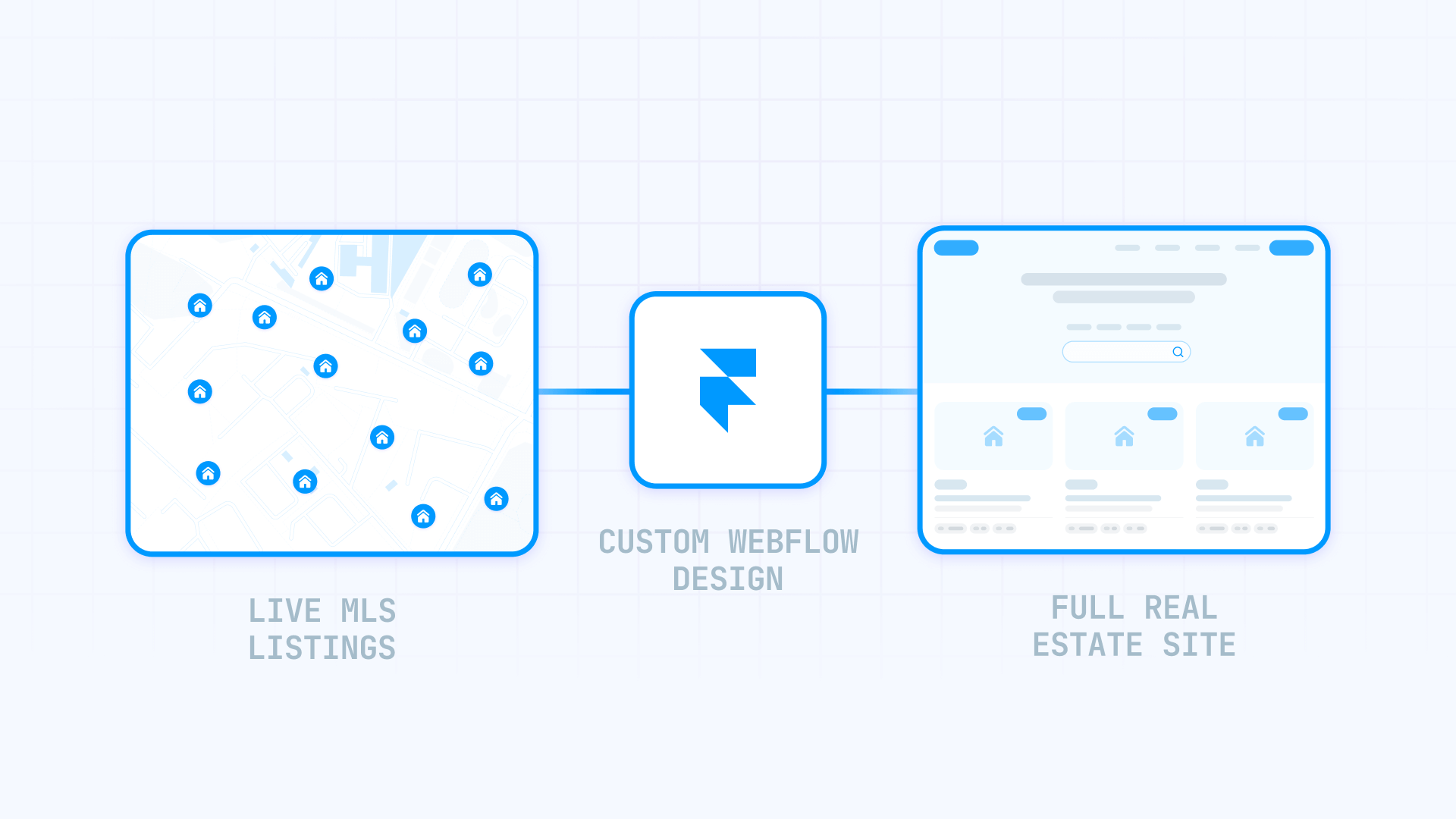
Real estate teams building in Framer hit the same question every other platform faces: how do you get live MLS listings onto a site that wasn't built for real estate? The short answer is that Framer doesn't have a native IDX feature — but neither does any other modern website builder.
The good news is that Framer's Embed component and Custom Code system handle third-party scripts cleanly, which means IDX providers that work on "any website" work on Framer too. One provider — Add On IDX — even has a dedicated Framer integration page, making it the most straightforward option if you want explicit documentation.
This guide covers which IDX providers work with Framer, how to implement widgets on your pages, and the Framer-specific details that differ from other platforms.
Why IDX matters for Framer real estate sites
Understanding what IDX unlocks helps you decide how much effort to invest in the integration.
- Live inventory without manual updates: IDX feeds refresh automatically (typically every few hours), so your site always shows current listings without you touching anything.
- Search experiences buyers expect: Map search, filters, saved searches, property alerts — these are table stakes for serious real estate sites, and IDX providers deliver them out of the box.
- Lead capture tied to intent: When someone inquires about a specific property, that's a warmer lead than a generic contact form submission. IDX providers route these leads with the listing context attached.
- Design flexibility Framer enables: Unlike template-locked real estate platforms, Framer lets you build a distinctive brand presence around the IDX functionality — the best of both worlds.
- Credibility through live data: Displaying real MLS inventory signals you're an active agent with current access, not someone with a brochure site and stale "featured listings."
What IDX is and what Framer can do with it
Before implementing anything, you need to understand how IDX actually works — because it's not a feature any website builder provides natively.
Understanding IDX and MLS for Framer sites
IDX (Internet Data Exchange) is a permission system that allows licensed real estate professionals to display MLS listings on their own websites. It's not software you install — it's a licensing agreement between you, your MLS, and the technology that connects them.
MLS (Multiple Listing Service) is the regional database where agents share property information. Access is restricted to licensed professionals with active memberships.
The critical point: Framer doesn't provide IDX because no website builder does. Framer handles design and hosting; an IDX provider handles the MLS data connection and search functionality. Your job is connecting the two.
What Framer can and cannot do with IDX
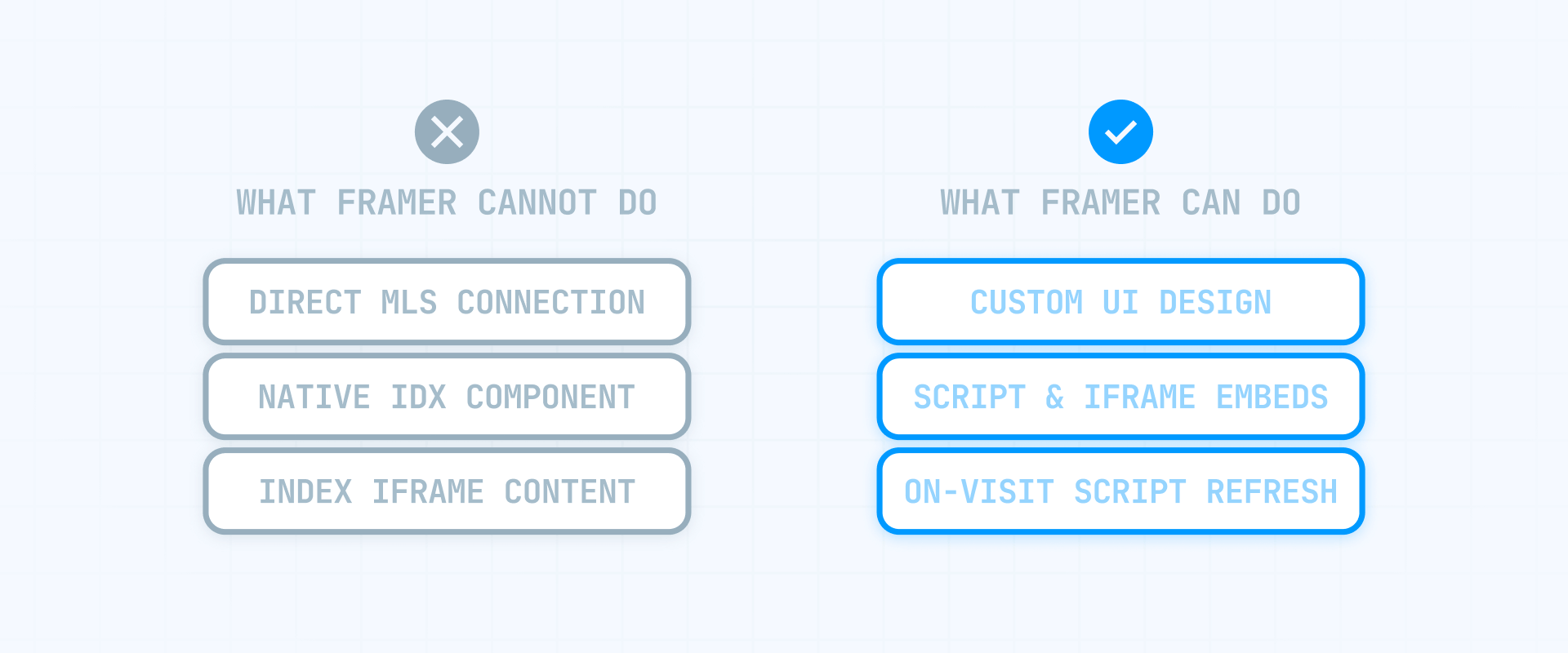
Framer handles the presentation layer well. You can embed third-party scripts and iframes using the Embed component, add site-wide or page-specific code through Project Settings, connect custom domains (which most IDX providers require), and use forms with webhooks for lead capture around the IDX experience.
What Framer cannot do is connect directly to MLS databases or make iframe content magically indexable by Google. These aren't Framer limitations specifically — they're realities of how IDX works on any hosted website builder.
Framer-specific technical details that affect IDX
One Framer behavior matters for IDX implementation:
SPA navigation: Framer uses client-side navigation (similar to React apps), meaning page changes don't always trigger a full reload. Some IDX widgets expect a reload to initialize properly. The fix is simple — Framer's Custom Code lets you choose "Run on every page visit" so scripts re-initialize on navigation.
To test your implementation, publish your site and check the live URL — Framer's Designer preview doesn't run custom code from embeds.
Which IDX providers work with Framer
Framer is newer and smaller than WordPress or Webflow, so most IDX providers haven't created Framer-specific documentation yet. That said, providers offering script-based embeds work in Framer the same way they work on any website — the Embed component handles standard HTML and JavaScript.
Add On IDX (explicit Framer support)
Add On IDX is the clearest option because they publish a dedicated "IDX for Framer" page. Their widgets use JavaScript embeds (not iframes), which means better styling flexibility and SEO potential.
Their workflow is straightforward: sign up, select your MLS, wait for paperwork approval, then copy widget code into your Framer site. They claim coverage of 450+ real estate boards across the US and Canada.
If you want the path of least resistance for Framer + IDX, this is it.
Providers with general "any website" compatibility
These providers don't have Framer-specific pages, but their script-based embed approach works in Framer's Embed component:
- iHomefinder: Markets "IDX for any website" with emphasis on "no iframes and subdomains" — you add a script and create pages that fill automatically.
- IDX Plugin: Positions as "works on every platform" with HTML/embed options.
- Buying Buddy: Offers an HTML/General Website option where you paste JavaScript code.
- Showcase IDX: Claims widgets are "embeddable anywhere."
Since these are standard script embeds, they work in Framer the same way they'd work on any website that accepts custom code.
How to choose your Framer IDX integration approach
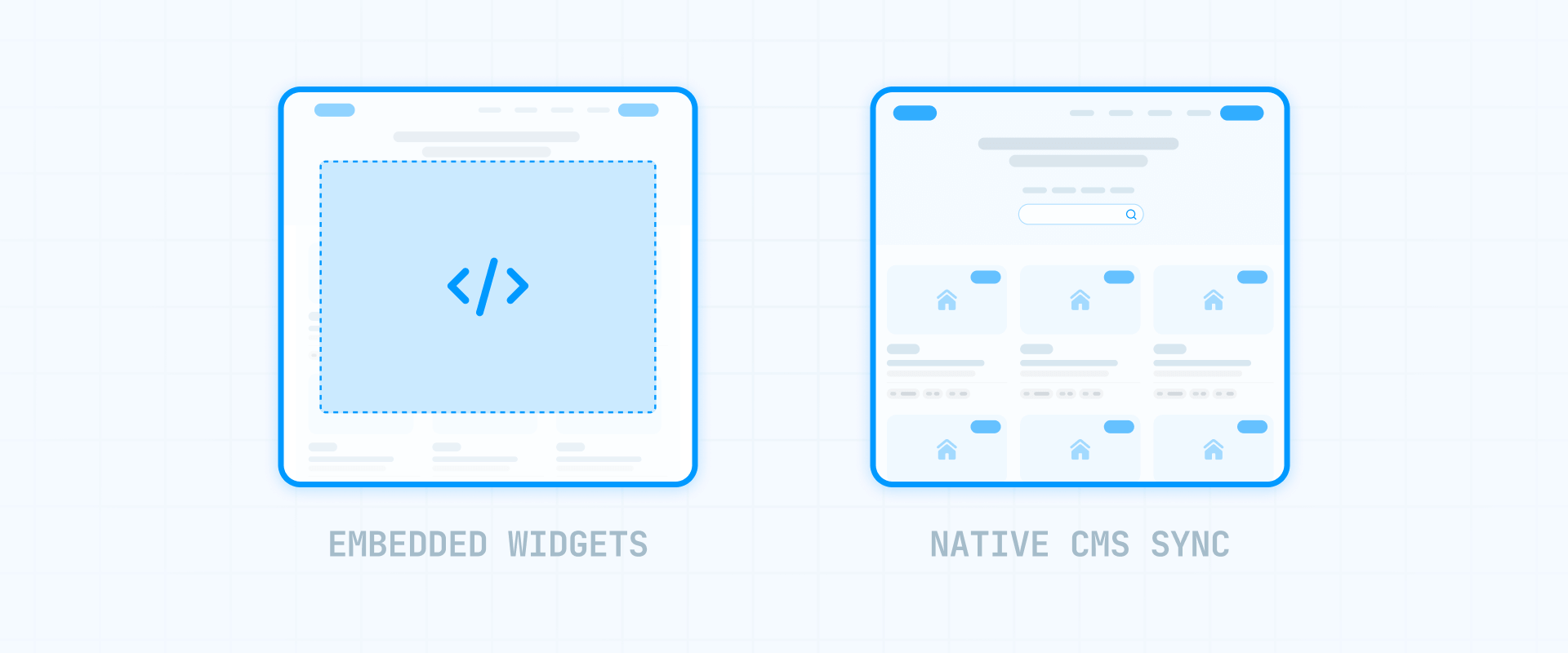
Your IDX provider's delivery model matters more than anything Framer-specific. Here are the realistic paths:
- Method A — Widgets embedded on Framer pages (recommended): You paste provider code into Framer's Embed component. This is the fastest, cleanest approach — especially with providers like Add On IDX that explicitly support Framer. Best for: homepage search, featured listings, map widgets, and full search experiences. Tradeoff: styling control depends on the provider's customization options.
- Method B — Sync listings to Framer CMS (advanced, limited use cases): You import a controlled set of listings into Framer's CMS and design the pages yourself with complete design control. Best for: featured properties, new developments, your own inventory where you need pixel-perfect custom layouts. Tradeoff: significant technical complexity — you need a data source, sync infrastructure, and ongoing maintenance. Not a replacement for full IDX search.
For most Framer builds, Method A is the right choice. Widgets get you working MLS functionality quickly, and providers like Add On IDX offer enough customization for most branding needs. Only consider Method B if you have specific design requirements that widget styling genuinely can't achieve — and the development resources to build and maintain the sync infrastructure.
What you need before adding IDX to Framer
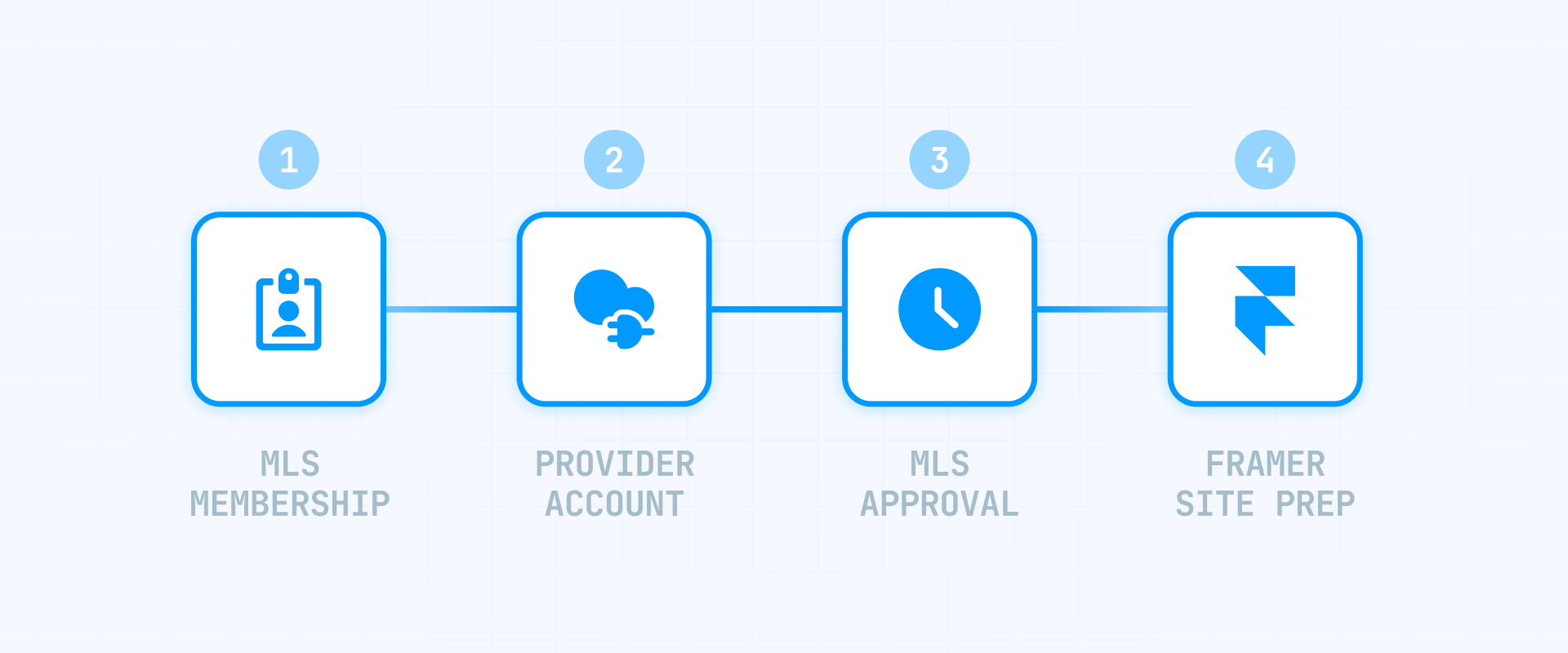
Getting these prerequisites sorted prevents the most common implementation headaches.
How to verify your MLS eligibility for Framer IDX
IDX access requires MLS membership. You must be a licensed real estate agent or broker with active membership in your local MLS, or working for a brokerage that can authorize your IDX use.
Your IDX provider handles the paperwork submission, but approval timelines vary — anywhere from a few days to several weeks depending on your MLS. Plan accordingly.
How to choose an IDX provider that works with Framer
If you want the smoothest experience, Add On IDX has explicit Framer documentation and JavaScript-based widgets.
If you prefer another provider, look for ones offering script-based embeds that work on "any website" — these work in Framer's Embed component without issues.
Framer site requirements for IDX
Before starting your IDX setup:
- Connect a custom domain: Most IDX providers require your site to run on a real domain, not a framer.app subdomain. Framer requires a paid plan for custom domains.
- Publish your site: You'll need a live URL to test IDX widgets, since Framer's Designer preview doesn't execute custom code.
Method A — Embed IDX widgets in Framer pages
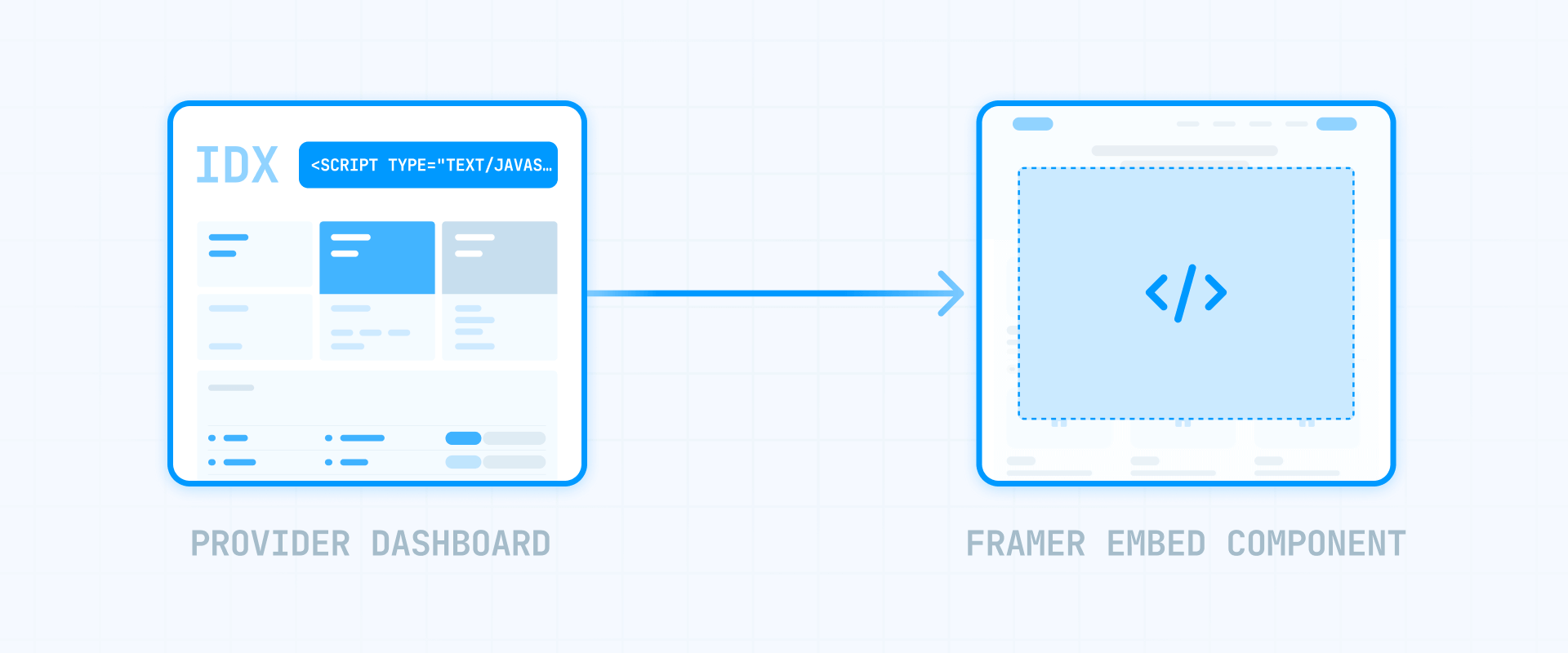
This is the recommended approach for most Framer real estate sites: your marketing pages live in Framer, and IDX functionality appears where needed via embed codes.
Understanding IDX widget types for Framer
Most providers offer several widget types:
- Quick Search widget: A compact search form that sends users to full results
- Featured Listings widget: A gallery of selected properties
- Map Search widget: Interactive map-based property search
- Recent Listings widget: Automatically updating feed of new inventory
- Full Search Experience: Complete MLS search with results and property detail pages
Don't embed multiple heavy widgets on a single page unless you want slow load times. Pick the one or two that matter most for each page's purpose.
How to get widget code from your IDX provider
The process varies by provider, but generally:
- Log into your provider dashboard.
- Navigate to the widgets or design section.
- Create or configure a widget (coverage area, number of listings, display options).
- Copy the generated code — typically a script tag or iframe URL.
Some providers also require a global initialization script that loads site-wide. Check your provider's documentation.
How to add an IDX widget using Framer Embed component
With your widget code ready:
- In Framer, open the Insert menu and search for Embed.
- Drag the Embed component onto your canvas where you want the widget.
- If your provider gives a script snippet, paste it into the HTML section of the Embed component.
- If your provider gives an iframe URL, use the URL field instead.
Give the Embed component's container a defined height (or min-height) so your page doesn't jump when the widget loads.
To test, publish your site and check the live URL.
How to add global IDX scripts with Framer Custom Code
If your provider requires a site-wide initialization script:
- Open Project Settings in Framer.
- Go to the Custom Code tab.
- Click Add Script (or the + icon).
- Name it, select placement (head or body), choose which pages it applies to, and select the run mode.
For most IDX scripts, placing in the body (end) is better for page speed.
Why "Run on every page visit" matters in Framer
Framer behaves like a Single Page Application — when users navigate between pages, Framer doesn't always do a full page reload. This can cause IDX widgets to work on the first page but fail after navigation.
The fix: when adding your IDX script in Custom Code, select "Run on every page visit" instead of "Once." This re-initializes the widget on each navigation, preventing the "it worked, then it broke" problem.
Method B — Sync listings to Framer CMS (advanced)
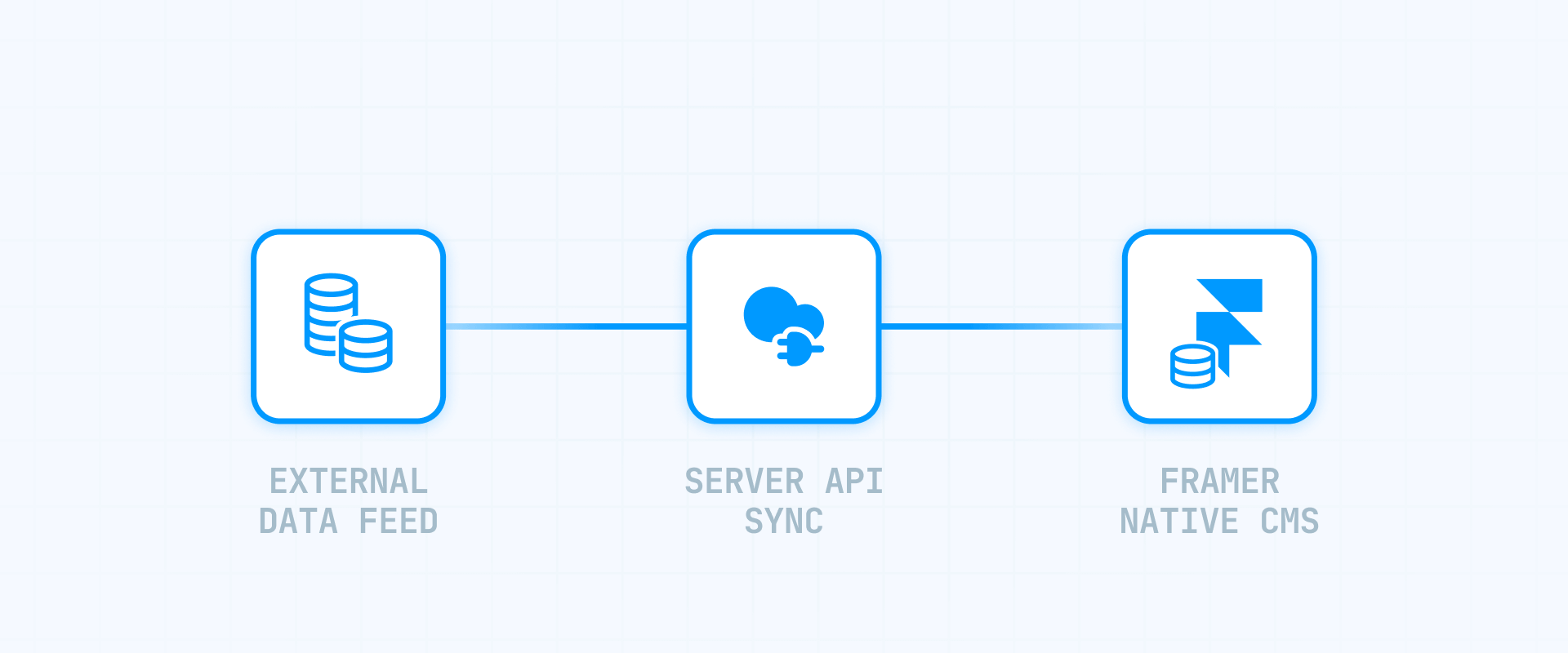
This approach gives you complete design control by storing listings in Framer's native CMS. But it comes with significant technical complexity and is not a replacement for IDX search functionality.
When Framer CMS sync makes sense
Consider this approach only if:
- You need to showcase a limited, controlled set of listings — your own inventory, featured properties, or a new development project
- You require pixel-perfect custom design that widget styling genuinely can't achieve
- You have development resources to build and maintain sync infrastructure
- You're okay with this being a "showcase" feature, not full MLS search
When Framer CMS sync doesn't make sense
Avoid this approach if:
- You need full MLS search with thousands of listings — Framer CMS has item limits by plan
- You want interactive search, saved searches, or property alerts — you'd need to build all of this
- You don't have ongoing development resources — sync infrastructure requires maintenance
- You need it working quickly — this is weeks of development, not hours
How Framer CMS sync works at a high level
Framer's CMS supports substantial item counts depending on your plan, and their Server API allows programmatic syncing from external sources. The implementation looks like:
- Create a "Listings" collection in Framer CMS with fields for address, price, beds, baths, photos, etc.
- Build sync infrastructure that pulls from your data source (your CRM, a provider API, or a spreadsheet) and pushes to Framer CMS.
- Design listing cards and detail pages in Framer with full control over layout and styling.
- Run the sync on a schedule to keep data current.
The hybrid approach often works well: Framer CMS for curated marketing content (featured listings, new developments), IDX widgets for full MLS search. They complement each other.
If you need a CMS sync implementation built properly, our Framer agency can scope and build it — but for most sites, Method A with widgets is the practical choice.
SEO and performance considerations for IDX in Framer

What Google can and cannot index with Framer IDX
Iframe-based IDX: Generally poor for SEO. Google can sometimes crawl iframe content, but the parent page often doesn't get credit for it. If SEO matters, prefer providers with JavaScript embeds.
JavaScript-rendered widgets: Better than iframes. Google can render JavaScript content, though results aren't guaranteed. Providers like Add On IDX explicitly use JavaScript embeds (not iframes) partly for this reason.
If ranking for property searches matters, script-based widgets from providers like Add On IDX offer the best balance of functionality and indexability.
How IDX scripts affect Framer site performance
Every IDX widget loads external JavaScript, CSS, and API calls. Performance mitigation is straightforward:
- Use one widget per page when possible — especially on your homepage.
- Limit listings per widget — showing 6 properties loads faster than showing 50. If your provider supports pagination, use it.
- Place scripts in the body end when your provider allows it, so they don't block initial page rendering.
- Avoid stacking heavy third-party scripts (IDX + chat + heatmaps + multiple analytics) on your most important pages.
Troubleshooting Framer IDX integrations
These are the issues most likely to waste your time, with Framer-specific fixes:
- Widget doesn't appear in Framer preview: This is expected. Custom code and embeds run on the published site, not in the Designer. Publish and test on your live URL.
- Widget works on first page, breaks after navigating: Classic Framer SPA behavior. In your Custom Code settings, change the script to "Run on every page visit" so it re-initializes on navigation.
- Iframe embed shows blank: Some providers set HTTP headers that block iframe embedding. Framer can't override this. Ask your provider for a script-based widget instead.
- No listings appear in widget: Usually means MLS approval isn't complete yet, or the widget is filtered to an area with no current inventory. Check your provider dashboard for approval status and adjust geographic settings.
- Widget styling doesn't match your site: Most providers offer CSS customization options in their dashboard. Check if your provider allows custom CSS injection, or ask about their theming/branding settings.
Frequently asked questions about IDX in Framer
Does Framer support IDX natively or do I need an external provider?
Framer does not have native IDX support — but neither does any website builder. IDX requires MLS licensing and specialized data infrastructure that website builders don't provide. You'll use an external IDX provider and embed their widgets using Framer's Embed component and Custom Code system. The integration is straightforward once you have a provider.
Which IDX providers work with Framer?
Add On IDX is the only provider with a dedicated "IDX for Framer" page and explicit documentation. They use JavaScript embeds (not iframes) and walk you through the Framer-specific workflow. Other major providers like iHomefinder, IDX Plugin, and Buying Buddy offer script-based "any website" embeds that work in Framer's Embed component — standard script embeds work the same way in Framer as on any other website.
Why don't more IDX providers have Framer documentation?
Framer is newer and smaller than platforms like WordPress or Webflow, so most IDX providers haven't created dedicated documentation yet. That said, providers offering script-based embeds work in Framer the same way they work on any website — the Embed component handles standard HTML and JavaScript. As Framer's market share grows, expect more providers to add explicit support.
Can I see my IDX widget in Framer's Designer preview?
No — Framer's Designer preview doesn't execute custom code or embed scripts. To test your IDX implementation, publish your site and check the live URL. Your workflow is: add code → publish → test live → iterate.
Why does my IDX widget work on the homepage but break when I navigate to other pages?
Framer uses client-side navigation (SPA behavior), meaning page changes don't always trigger a full reload. Some IDX widgets expect a reload to initialize. The fix: when adding your IDX script in Project Settings → Custom Code, select "Run on every page visit" instead of "Once." This re-initializes the widget on each navigation.
Can I import MLS listings directly into Framer CMS instead of using widgets?
You can sync listings to Framer CMS, but it's not a replacement for full IDX search. CMS sync makes sense only for showcasing limited inventory — your own listings, featured properties, or new developments — where you need complete design control. For full MLS search with thousands of listings, interactive filters, saved searches, and compliance handling, use an IDX provider's widgets. The approaches complement each other.
Will adding IDX slow down my Framer site?
IDX widgets load external scripts and make API calls, so they can impact performance. Minimize this by using one widget per page when possible, limiting listings displayed per widget, enabling pagination if your provider supports it, and placing scripts in the body end rather than head.
Do I need a custom domain to add IDX to Framer?
In practice, yes. Most IDX providers require your site to run on a real domain, not a framer.app subdomain. Framer requires a paid plan to connect a custom domain. Get your domain connected before starting your IDX setup.
What's the difference between IDX widgets and CMS sync for Framer?
IDX widgets give you working MLS functionality quickly — search, results, property details, lead capture — by embedding your provider's code. You get the provider's features but limited design control. CMS sync gives you complete design control by storing listings in Framer's native CMS, but requires significant development work and doesn't include search/filter functionality unless you build it. For most sites, widgets are the practical choice.
Which Framer IDX approach should I choose if I'm not sure?
Start with embedded widgets using Add On IDX. It's the most explicitly documented path for Framer, uses modern JavaScript embeds (not iframes), and gets you working MLS functionality with the least friction. Only consider CMS sync if you have specific design requirements that widgets genuinely can't achieve — and the development resources to build and maintain it.
Conclusion
Framer handles IDX the same way it handles any third-party integration: through embeds and custom code. The platform is newer, so most IDX providers haven't created Framer-specific documentation yet — but providers with script-based embeds work fine, and Add On IDX explicitly supports Framer with a dedicated integration page.
For most Framer builds, the straightforward path is: choose a provider with JavaScript-based widgets (Add On IDX being the clearest option), embed them using Framer's Embed component, and remember to use "Run on every page visit" if widgets break on navigation. If you need complete design control over a limited set of listings, CMS sync is possible — but it's a significant technical investment that most sites don't need.
If you need help implementing IDX on a Framer real estate site — or want a custom build with CMS sync and distinctive branding — our Framer agency can handle the technical work while you focus on your clients.










Join readers commenting on this post!