

The short answer is yes for editing, no for building from scratch. That distinction is the entire article.
Webflow markets itself as a no-code platform, and in a specific sense it is — but not in the way most marketing teams expect. Webflow is a visual composer for HTML and CSS, not a drag-and-drop builder like Squarespace or an AI that generates pages from prompts. If you don't understand web layout concepts like flexbox, responsive breakpoints, and CSS classes, building a site from scratch in Webflow is genuinely difficult.
But here's what matters for marketing teams: if someone who understands those concepts builds the site properly — with the right components, CMS structure, page templates, and editable properties — then editing that site afterwards is genuinely easy. Updating copy, publishing blog posts, swapping images, editing SEO fields, and even assembling new landing pages from pre-built blocks can all happen without touching a single line of code or understanding any HTML. The quality of the initial build is what determines whether marketing can run the site independently or stays stuck filing developer tickets for every small change.
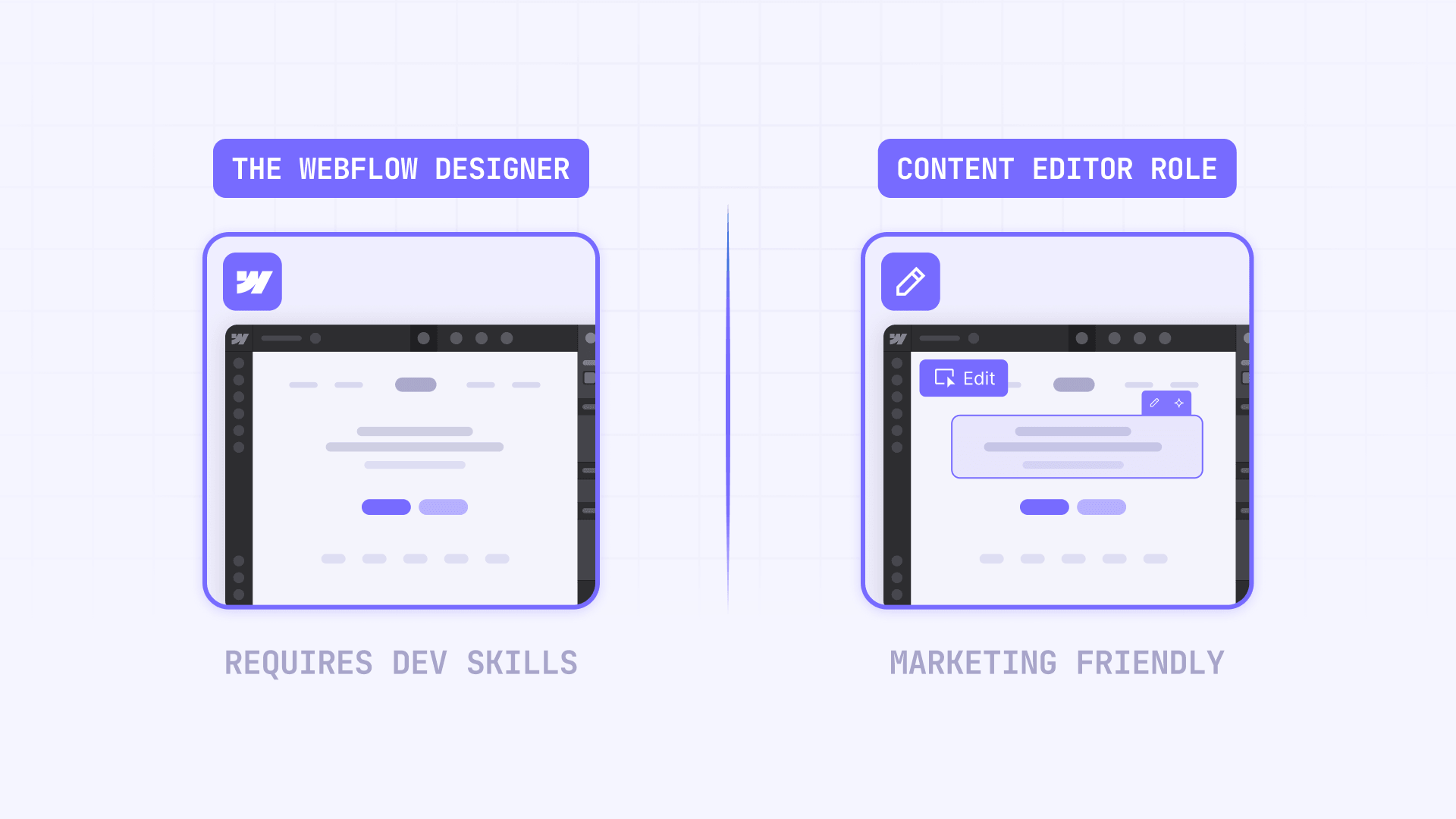
Why Webflow is not as no-code as it sounds for Webflow sites
This is the part most people misunderstand. Webflow gives you a visual interface for building websites, but what you're actually doing is composing real HTML and CSS structures visually. Every element you add is a real HTML element. Every style you apply is a real CSS class. Every layout decision involves real concepts like flexbox, grid, relative vs absolute positioning, and responsive breakpoints.
That makes Webflow incredibly powerful for designers and developers who understand those abstractions — they can build production-quality websites without writing code manually. But for a marketing manager who's never thought about how a div works, opening the Webflow Designer and trying to build something new from scratch is overwhelming. The interface looks clean, but the underlying mental model is still web development.
This is why the framing matters. Webflow is no-code in the sense that you don't write code. It's not no-code in the sense that anyone can build anything without technical knowledge. The building part requires understanding web structure. The editing part — once someone else has built that structure — does not.
What a marketing team can easily manage in Webflow
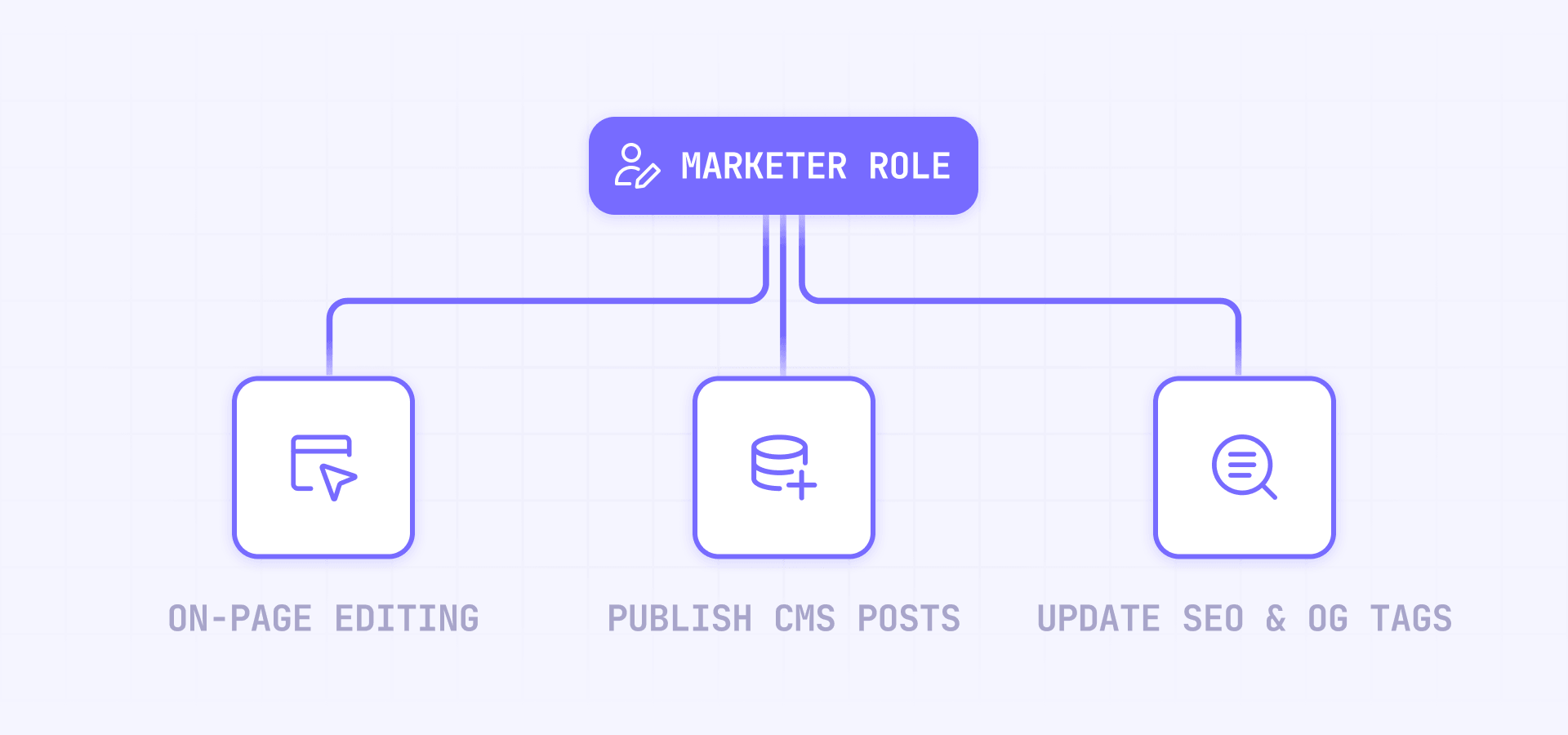
If the site was built properly, here's what marketing can own without any developer involvement.
Editing content and CMS items in Webflow
This is where Webflow genuinely delivers on the no-code promise. A marketing team member with the Content editor role can:
- Update text, images, links, and videos directly on any page
- Create, edit, publish, and delete CMS items — blog posts, case studies, team members, or any other content type that was set up in the CMS
- Edit SEO titles and meta descriptions per page
- Edit Open Graph settings (the preview that shows when someone shares a link)
- Replace assets in the Assets panel — and the replacement automatically updates everywhere that asset is used
- Upload, organize, and manage images and files across the site
- View and export form submissions and form data
- Control how CMS-driven pages appear in search results by filling in dynamic SEO fields that the developer pre-configured on Collection pages
If the CMS collections are set up with clear field names and the right field types, editing content in Webflow feels like filling out a form. You don't need to understand HTML, CSS, or layout — you're just updating content inside a structure someone else built. This is the part where Webflow is genuinely easy for non-technical people.
Updating pages built from templates and components in Webflow
Webflow has a role called Marketer that goes one step further than content editing. A marketer can create new pages from pre-built templates, add approved components into designated page slots, and edit component properties — things like headline text, button labels, images, and toggle switches that control which sections appear.
Think of it like assembling a landing page from Lego blocks that someone already designed. You pick which blocks to use, fill in the content, and publish. You can't redesign the blocks themselves — but you don't need to. The agency or developer already made sure they look right and work on every screen size.
This is Webflow's intended workflow for marketing teams that need to launch campaign pages, event pages, or promotional landing pages without waiting for a design ticket. It works well, but only if the templates and components were actually built before handoff.
What still needs a developer or Webflow specialist
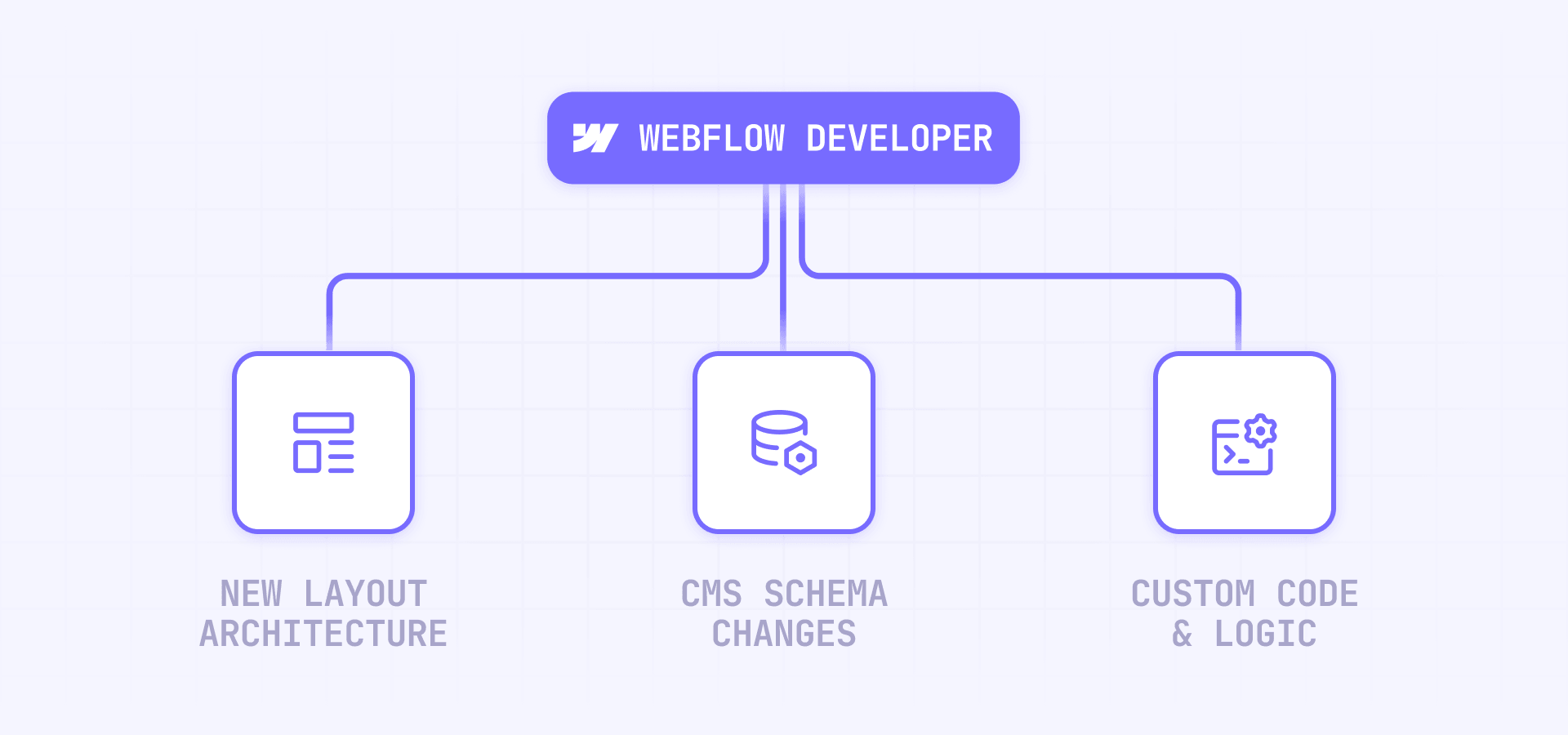
This is where the honest answer matters. Some tasks look simple but require someone who understands Webflow's underlying structure.
Building new pages or sections that don't have a template in Webflow
If marketing needs a page layout that doesn't exist yet — a new type of landing page, a completely different section design, or a page structure that wasn't anticipated during the initial build — someone with Webflow design skills needs to create it. This involves working with a Webflow developer or specialist using the Designer role in Webflow, creating new layout structures, applying responsive styles, and potentially building new components.
The same applies to entirely new sections within existing pages. If the hero section needs a fundamentally different layout, or marketing wants a comparison table format that was never built, that's design and development work — even though it happens visually in Webflow rather than in code.
This is the core distinction: marketing can edit and assemble within a system. Creating new pieces of that system requires someone who understands how Webflow layouts work.
Creating new CMS collections or changing site structure in Webflow
If the team decides they need a new content type — like events, job listings, customer stories, or a knowledge base — someone needs to create the CMS Collection, define the fields, build the Collection template page, and wire up the dynamic content. Marketing roles in Webflow cannot create or delete Collections.
The same applies to structural changes like reorganizing navigation, changing how content types relate to each other, or restructuring how pages are grouped. These decisions affect the entire site architecture and need someone who understands both Webflow's CMS system and the broader site structure.
Integrations, custom code, and automation in Webflow
Connecting third-party tools like HubSpot, Google Tag Manager, analytics platforms, CRM systems, or marketing automation workflows requires someone with technical knowledge. Webflow supports custom code in HTML, CSS, and JavaScript — but not server-side languages — and the platform's support team explicitly won't troubleshoot custom code implementations.
Setting up API workflows, webhook integrations, or automated publishing pipelines is also developer territory. These are real implementation projects, not tasks you hand to a content editor with a tutorial video.
Even seemingly simple requests like "add this tracking pixel" or "embed this third-party widget" can involve custom code placement, testing across environments, and making sure nothing breaks the site's performance. Marketing can request these changes, but they shouldn't be expected to implement them.
Why the quality of the initial build determines everything in Webflow
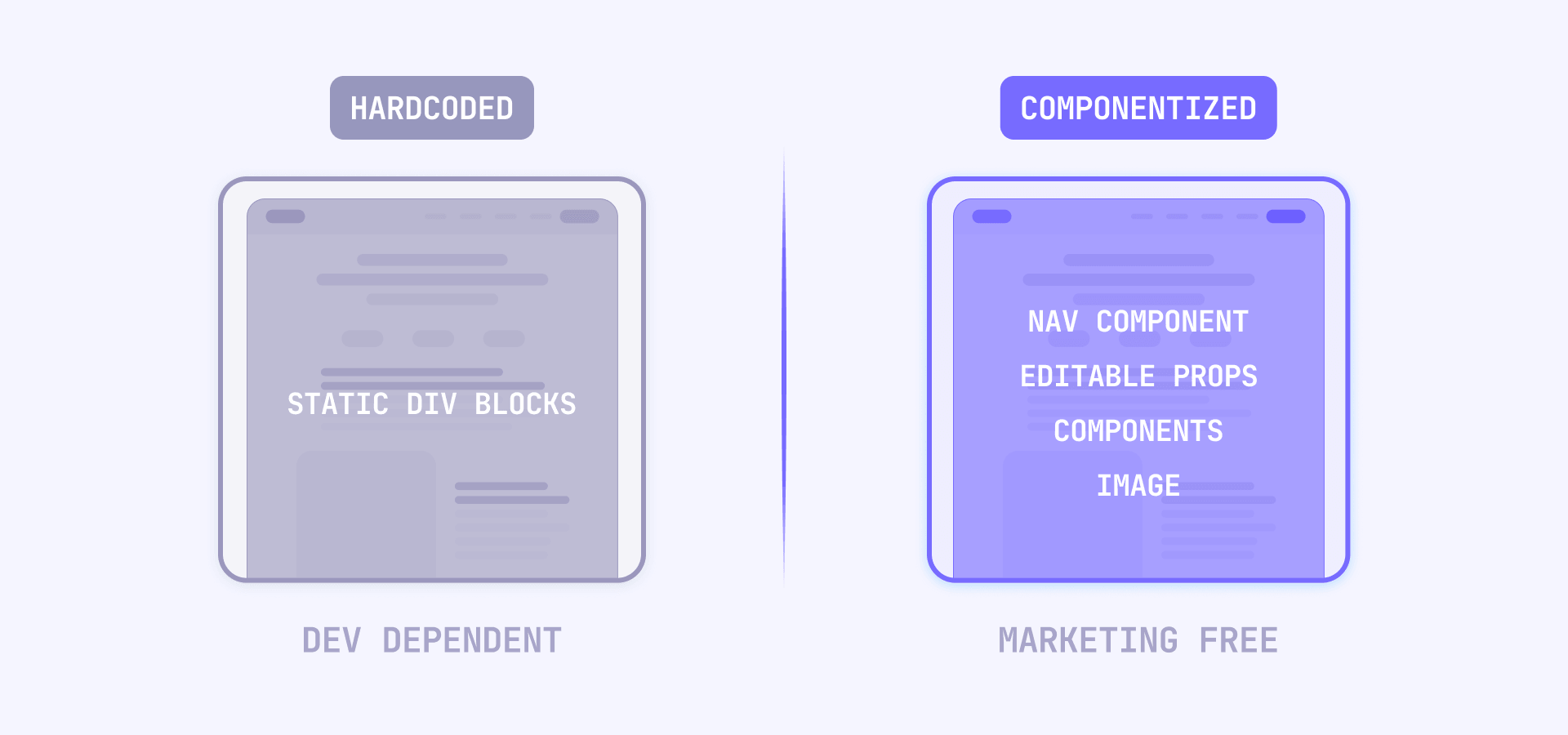
This is the most important section for anyone evaluating Webflow for their team. The platform itself doesn't determine whether marketing can run the site independently — the quality of the build does.
A well-built Webflow site looks like this from marketing's perspective:
- Every repeatable section is a component with editable properties — marketing changes the content through clearly labeled fields, not by touching layout
- The CMS has collections for every content type marketing manages, with field names that make sense to non-technical people
- Page templates exist for every type of page marketing needs to create regularly, with page slots where approved components can be dropped in
- SEO and Open Graph patterns are pre-configured on Collection pages so marketing just fills in the fields
- Roles and permissions are set so marketing can edit and publish content without accidentally breaking structure
A poorly built Webflow site looks like this: marketing needs a developer for every change because nothing was componentized, the CMS fields are confusingly named, there are no templates for common page types, and the only way to update sections is by opening the Designer and understanding the layout system.
The difference between these two scenarios is not Webflow's fault or Webflow's feature. It's the agency or developer who built it. A good Webflow build makes marketing independent for 90% of daily work. A bad build makes them dependent on a developer for everything. This is exactly why working with an experienced team matters — the goal isn't just building the pages, it's building the system that makes the team autonomous after launch.
Frequently asked questions about managing Webflow without a developer
Can a non-technical person edit a Webflow site?
Yes, if the site was built properly. Editing content, CMS items, images, SEO fields, and Open Graph settings requires zero technical knowledge in Webflow. The Content editor role provides a clean interface focused on content, not design. And if the site has pre-built templates and components, the Marketer role lets non-technical people create new pages by assembling approved blocks — no design skills needed. The key is that someone technical built the structure first — after that, editing and page assembly are straightforward.
What's the difference between the Webflow Content editor and Marketer roles?
Content editor is for editing existing content — text, images, CMS items, SEO settings. Marketer adds the ability to create new pages from templates, add components to page slots, and edit component properties. If your team only updates existing content, Content editor is enough. If they need to build new pages from pre-approved blocks, Marketer is the right role.
Can marketing create new landing pages in Webflow?
Yes, but only if the site has page templates and components already built. With the Marketer role, marketing can create a page from a template, drop in approved components, fill in the content, and publish. Without templates and components, creating a new page requires at least basic Webflow design skills.
Does marketing need to understand HTML or CSS to edit Webflow?
No — not for editing. Updating copy, CMS items, images, SEO fields, and page settings doesn't require any understanding of HTML or CSS. These tasks happen through Webflow's content interface, which is more like a form than a code editor. Understanding HTML and CSS only matters when building new layouts from scratch.
Can marketing publish content without developer approval in Webflow?
Yes, if the Can publish permission is enabled for their role. Content editors can publish CMS items and site changes when allowed. On Enterprise, design approvals and publishing workflows add more formal review gates. The practical setup is giving most of marketing publish rights for CMS content while keeping full-site publishing with a senior owner.
What CMS tasks can marketing handle independently in Webflow?
Marketing can create, edit, delete, import, export, and publish CMS items for any Collection that already exists. They can also edit CMS-driven SEO fields and Open Graph settings per item. What they cannot do is create new Collections, add new fields, or change the CMS schema — that's architecture work.
Why can't my marketing team edit certain sections in Webflow?
Usually because those sections aren't built with editable properties. In Webflow, elements inside Collection lists or bound to CMS data have specific editing constraints. If a section feels "locked," it likely means the content should live in a CMS field or component property instead of being embedded in the layout. The fix is in the build, not in the permissions.
Is Webflow easier than WordPress for marketing teams?
For governed editing — where you want clean roles, protected design, and controlled page assembly — Webflow is often easier. Marketing can't accidentally break the site by installing a bad plugin or editing a theme file. Where WordPress can win is when the editorial workflow is already standardized around its block ecosystem. The real comparison isn't the platforms — it's how well the site was built for the team that will use it.
What should we ask our Webflow agency to set up for marketing independence?
Ask for components with editable properties for every repeatable section, CMS collections with clear field names for every content type you manage, page templates with slots for every page type you create regularly, SEO and Open Graph patterns pre-configured on Collection pages, and role assignments tested with Webflow's role simulation before handoff. If the agency can't demonstrate the site working from your team's perspective, the handoff isn't ready. For a deeper look at what to expect from this process, read our complete guide to evaluating and choosing a Webflow agency.
How do we know if our Webflow site is built well enough for marketing to manage?
Run one test: have a marketing team member try to complete every weekly task — publish a blog post, update a hero section, create a landing page, change SEO settings, replace an image — using only the Content editor or Marketer role. If they can do it without asking for help, the build is solid. If they get stuck, the problem is the build, not the person.
Conclusion
A marketing team can absolutely manage a Webflow site without a developer for the work that matters most: content updates, CMS publishing, SEO fields, asset management, and even new page creation from templates. But that only works when the site was built with marketing independence in mind.
The honest answer to "can marketing manage Webflow?" is always the same: it depends on who built it. A well-structured Webflow site with proper components, CMS architecture, and page templates makes marketing self-sufficient for daily operations. A poorly built site turns every small change into a developer ticket.
If you want a Webflow site that your marketing team can actually run after launch — not just edit text, but create pages, manage content, and publish confidently — our Webflow agency builds sites specifically for marketing independence. To understand what that investment looks like, explore our full guide to Webflow website costs and budgeting.










Join readers commenting on this post!